
Best Copy Editing Software for Professional Teams
The best copy editing software for consistency and house style is PerfectIt. It’s built for long, specialist documents such as proposals, clinical study reports, and regulatory submissions, where small inconsistencies are easy to miss.
PerfectIt doesn't rewrite sentences or check grammar. Instead, it checks whether a document uses the same spelling, terminology, capitalization, hyphenation, and house style throughout, and flags every location where it doesn't.
If you work in a medical writing team, proposal and bid team, government publications team, or an in-house editorial team, here are the current best copy editing tools for professionals, including what each handles, and where limitations lie.
Quick Comparison
| Tool |
Free Trial/ Free plan |
Best for |
|
|---|---|---|---|
| 1 | PerfectIt | 14-day free trial, full access, only email address is needed | Consistency and house style across long specialist documents, in Word and PowerPoint |
| 2 | ProWritingAid | Free plan, 500 words per check | Deep style and readability reports when the job is improving an author's prose |
| 3 | editGPT | Free plan with up to 10,000 words per month | AI-assisted rewriting with tracked changes preserved on import and export |
| 4 | Grammarly | Free plan with basic correction | Fast general grammar and tone help across almost any app |
| 5 | LanguageTool | Free plan with basic spelling and grammar checks for over 30 languages | Multilingual grammar and style checking, with a self-hosted option |
| 6 | Antidote | 30-day free trial of Antidote+ | Dictionary and language-reference depth alongside grammar checking, integrated with Word |
| 7 | Microsoft Editor | Basic checks free with a Microsoft account, plus a one-month Microsoft 365 trial (credit card required) | Spelling, grammar, and light style help already included with Microsoft 365 |
What Copy Editing Software Can and Cannot Do
One mistake some teams make when they look for a copy editing tool is expecting one tool to cover everything. They expect one subscription to catch a comma splice, flag an inconsistent acronym, and fix a paragraph that doesn't make sense, all in one pass.
Grammar and consistency are very different tasks, and the tools built for one are rarely ideal for the other.
Fixing comma splices, awkward phrasing, and passive voice is one kind of task, and tools like Grammarly and ProWritingAid are built for it.
Checking consistency and house style is a separate type of task. A report might use "email" in one place and "e-mail" in another, spell out an acronym halfway through instead of the first time it's used, or capitalize a client's name in one section but not another. Readers notice, but spelling and grammar checkers don’t pick up on them. That’s where a specialist copy editing tool like PerfectIt adds value.
Take a fifty-page report with four contributors. By final review, the grammar is usually fine, because everyone involved can write a clean sentence. What usually goes wrong is terminology and consistency.
One writer used "client," another used "customer." One capitalized a department name, another didn't. An acronym was defined on page twenty but is used without explanation on page four, because whoever wrote page twenty never saw page four.
None of that is a grammar problem. It's a consistency problem, and a proofreader checking sentence by sentence rarely catches it, since that kind of reading is built to catch broken sentences or wrong grammar, not a term that changed four times across fifty pages.
That's exactly the kind of repetitive, mechanical checking that a consistency checker can take off your plate, it means you can spend your time on what matters: communicating your message effectively.
How to Choose Copy Editing Software for Your Team
Three questions matter more than any feature list when you're comparing copy editing software for professional use.
Do you need sentence-level help or document-level consistency?
Can the software check your house style?
What level of security and confidentiality do your documents need?
Do You Need Sentence-Level Help or Document-Level Consistency?
Sentence-level tools fix grammar and tighten wording. Document-level tools check that a document stays consistent with itself from start to finish. Consistency is more of a problem if you’re working in a team with multiple contributors.
Can the Software Check Your House Style?
A basic copy editing tool catches a typo in one sentence, but it usually has no memory of anything outside that sentence. A dedicated house style checker is different: built solely for that job, it holds your organization's preferences and checks every document against them afterward.
What Level of Security and Confidentiality Do Your Documents Need?
For confidential work, it matters whether a tool sends your text to an outside server or AI model. It’s easier to get corporate approval for software that keeps documents on your computer and doesn’t send any data anywhere.
7 Best Copy Editing Software
PerfectIt
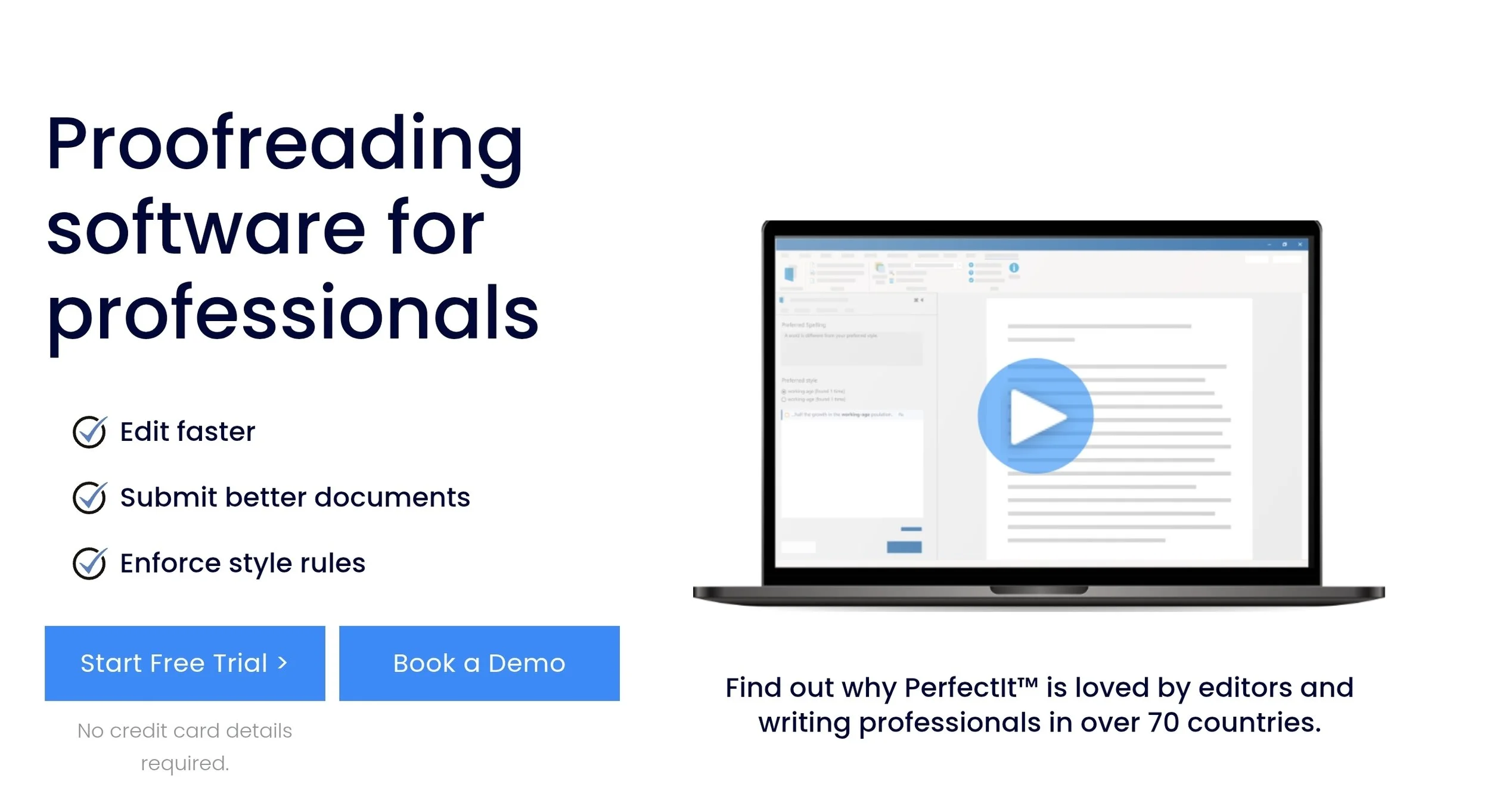
Best for: professional consistency and house style checking across long specialist documents, with a secure, rules-based approach built for teams that can't risk sending confidential documents to an AI model.
PerfectIt ranks first as the best copy editing software for professional teams because it’s the only tool here that checks a whole document against itself and against your house style, and flags every location for you to review. That's the layer most professional reviews are missing.
What It Actually Is
PerfectIt checks professional consistency and house style. It's not a grammar checker, it doesn't rewrite sentences, and it isn't AI. It's rules-based and deterministic: it checks your documents against the rules you’ve set the same way every time, so a report checked Monday gets treated exactly like one checked Friday.
How It Works in Practice
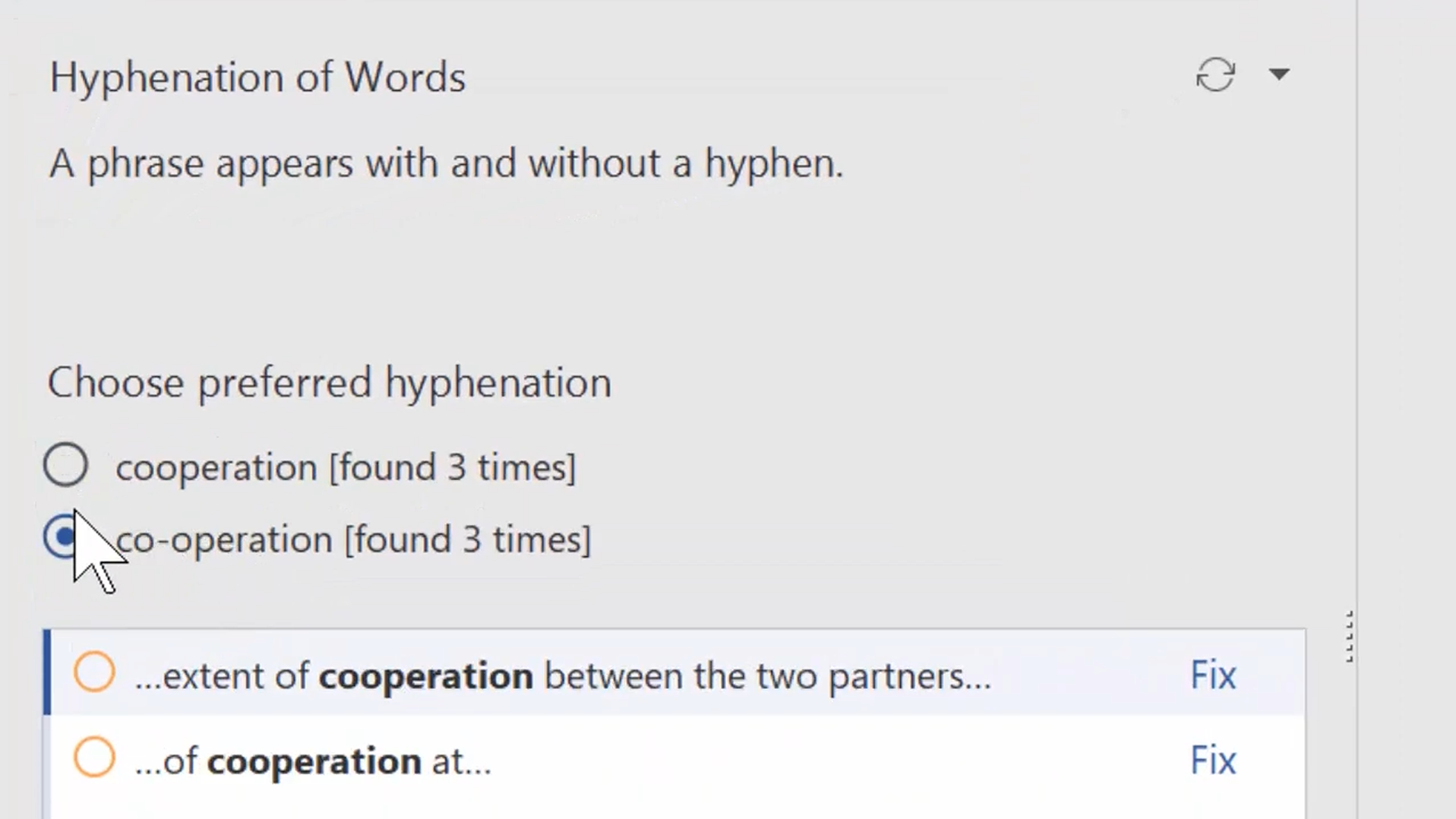
You launch PerfectIt inside Word, and it checks the whole document at once. Each issue shows up in the sidebar for you to decide on. Say "Client Services" gets capitalized on page three but shows up as "client services" on page twenty-two. Or an acronym like 'ROI' shows up undefined on page four, and doesn't get spelled out until page nine.
PerfectIt flags every instance where something's inconsistent, showing you both versions side by side. From there, you choose the correct form, then apply it to every location at once or review each one individually. PerfectIt never makes any changes without human review first.
Acronym Definitions
Acronyms are often the reason proposal and medical writing teams choose PerfectIt. PerfectIt's check of acronym definitions catches acronyms used before they're defined, acronyms defined twice, and acronyms that are never defined anywhere in the document.
It can also generate a full table of every acronym used, which saves a manual pass building one by hand.
The Other Checks
Capitalization: catches terms with initial capitals in one location and lowercase in another.
Hyphenation: flags words hyphenated in one place but not another.
Bullet and list punctuation: ensures consistent punctuation in bullets and numbered lists.
Spelling: flags mixed US and UK spellings in the same document.
Numbers in sentences: points out a number written as a word in one location, like "six," and as a digit in another, like "7," within the same document.
Tables and figures: checks that they're titled consistently and appear in numerical order.
House Style
A good house style takes a published guide as its base, such as The Chicago Manual of Style, and defines the places where an organization does something different. Build those preferences into Styleworks, and you can check against those preferences using PerfectIt.
PerfectIt is the only official proofreading software of The Chicago Manual of Style and of the Microsoft Writing Style Guide. It has more than 20,000 users in 72 countries.
Capterra rates it 4.9 out of 5 from 371 reviews; G2 rates it 4.8 out of 5 from 164. An independent review at bestaiwritingassistant.com scored it 9.3 out of 10, landing on a similar conclusion about where the tool fits in an editorial workflow.
Who It's For
Medical writing teams producing clinical study reports and regulatory submissions are one of PerfectIt's core users. PerfectIt is used by medical writing teams at 80% of the world's largest pharmaceutical firms, as well as the team at Cancer Research UK's Centre for Drug Development.
Proposal and bid teams working against strict client formatting requirements are another. A proposal is often assembled from sections written by different specialists working under deadline, and PerfectIt catches the terminology and formatting drift that creeps in when several people write different parts of the same document.
Microsoft's global proposal team is one of PerfectIt's customers. As Kimberli Balfour, Senior Proposal Manager at Microsoft Global Proposal Services, explains, PerfectIt means “we spend less time on the mechanics of document production and have more time for strategic edits.”
Government publications teams working with a department or agency style also use PerfectIt. Users include transnationals, government departments and offices of the inspectors general. Government publications often follow a strict, pre-set style. With PerfectIt, teams set those preferences once and then automatically apply them to every report that follows.
Pricing
PerfectIt is sold as an annual per-user subscription across four tiers: Professional, Elite, Team, and Enterprise.
Professional: (1-3 users): consistency and acronym checks, house style and preference checks, sharing house styles across a team, CMOS checking with a separate CMOS Online subscription, offline working, and standard support and billing.
Elite: (1-3 users): everything in Professional, plus list formatting checks and PerfectIt for PowerPoint (Windows only).
Team: (3-100 users): everything in Elite, plus live, expert-led training and personalized procurement support.
Enterprise: (1+ users): everything in Team, plus a dedicated account manager, personalized installation and deployment support, priority support, and live training tailored to your team.
PerfectIt also offers a 14-day free trial with full access. The trial requires nothing except an email address.
The Honest Limits
PerfectIt doesn't check grammar and doesn't rewrite or generate text, by design.
2. ProWritingAid
Best for: writers who are revising their long-form manuscripts and want detailed readability reports.
More than 25 reports on style, readability, sentence structure, and word choice make up the core of ProWritingAid. It's built for revising long prose across multiple drafts, not for a single grammar pass.
The reports go deep on prose quality, sentence variety, and readability scoring, the kind of feedback that's most useful when one person is shaping their own writing over time. One downside is that large files inside Google Docs can slow it down.
Features:
Style and readability reports: over 25 reports covering issues like overused words, sentence length variation, and passive voice
Multi-platform editing: works inside Word, Google Docs, Scrivener, and its own web and desktop editors
Consistency check: flags inconsistent spelling and formatting choices within a single document
Contextual thesaurus: suggests word alternatives based on the surrounding sentence
Plagiarism check: available on paid plans, checks text against published sources
Pros:
Explains the reasoning behind each suggestion, so a writer picks up something for next time
Runs across several major writing tools instead of locking someone into one
Useful for a solo writer working through one long manuscript
Cons:
Geared toward one author's own draft, so it has nothing to say about consistency or shared house style across a team
Large files in Google Docs tend to slow it down
Pricing: Premium runs $10 a month billed annually, or $30 month-to-month. Premium Pro runs $12 a month billed annually, or $36 month-to-month.
3. editGPT
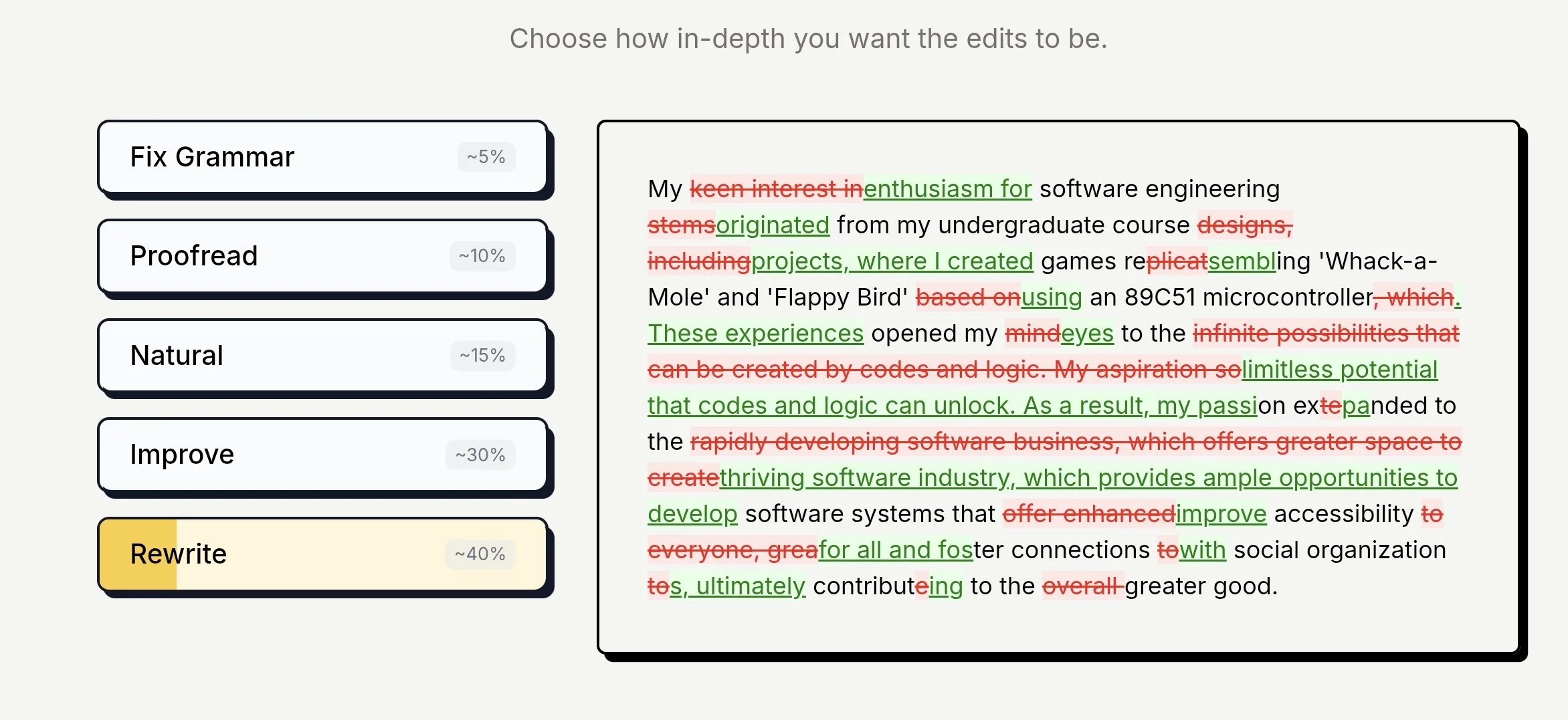
Best for: AI editing of longer documents, with every suggestion kept as a tracked change.
Unlike rules-based tools, editGPT relies on contextual editing rather than a fixed rulebook. It reads the surrounding text and adjusts its suggestions depending on what kind of document it's looking at, be it legal, medical, academic, and so on. That helps preserve the text’s original tone and voice amid multiple editing sessions.
Every AI-generated change comes through as a native tracked edit on both import and export, so nothing lands in the final file without you clicking to accept it. It also has a project mode for handling longer documents and running batch edits.
Features:
Contextual editing: reads the surrounding text and document type before suggesting a change, rather than working off one fixed rule set
Tracked changes: Suggestions import and export as native Word tracked changes
Tone adjustment: rewrites passages for a specified tone or audience
Custom prompts: aside from the built-in modes, you can also make your customized prompts or preferences
Project mode: manages longer documents and batch edits without the suggestions getting less accurate as the document gets longer
Multi-language editing: covers more than 80 languages
Pros:
Every suggestion is visible and has to be individually approved
Adapts to specialist writing instead of treating every document the same way
Tone control makes it flexible across different audiences
Cons:
Doesn't check a document against itself the way a rules-based tool does
Pricing: free plan for up to 10,000 words a month, with Pro at $12 per month, Elite at $25 per month, and a Business plan at $60 per month for four team seats.
4. Grammarly
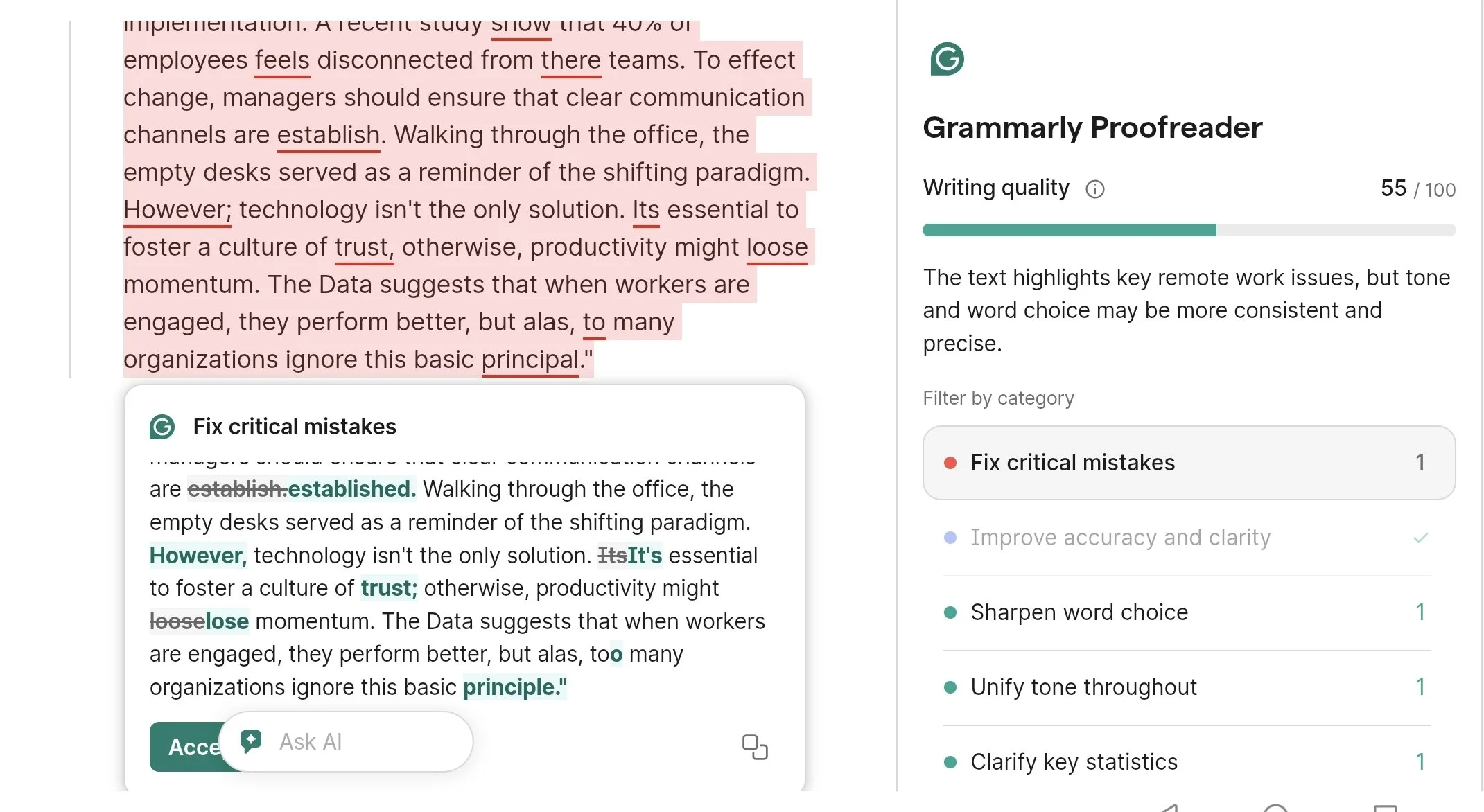
Best for: real-time grammar and tone help wherever you work.
Grammarly catches mistakes as you type. Since it plugs directly into hundreds of apps and websites, you don’t have to wait until a full draft is done to get helpful feedback.
Teams using Pro or Enterprise plans can upload custom brand rules through the Style Guide feature. Grammarly's Style Guide flags phrasing that strays from company guidelines as you type. However, that’s not the focus. If consistency and house style checking is the main goal, PerfectIt is built around exactly that, without the distraction.
Pro and Enterprise accounts also include built-in analytics to track writing quality metrics like tone consistency and suggestion acceptance rates across the team, over time.
Features:
Real-time grammar and tone checking: works across email, browsers, Word, and hundreds of other apps
Style Guide: Pro and Enterprise plans let a team upload brand voice rules that Grammarly flags deviations from in real time
Plagiarism detection: available on paid plans
Analytics: Pro and Enterprise plans track how consistently a team follows its style rules over time
Pros:
Usually shows up wherever a team already writes, so there's nothing new to switch to
Catches brand voice slips while someone's still typing, before the document is even done
Can be used out of the box with almost no training required
Cons:
Can flag things as wrong on technical or creative writing where the tone was intentional
Consistency checking is one feature inside a broad writing assistant, not its main focus
Pricing: offers a free version while Grammarly Pro costs $12 per membership per month, billed annually.
5. LanguageTool
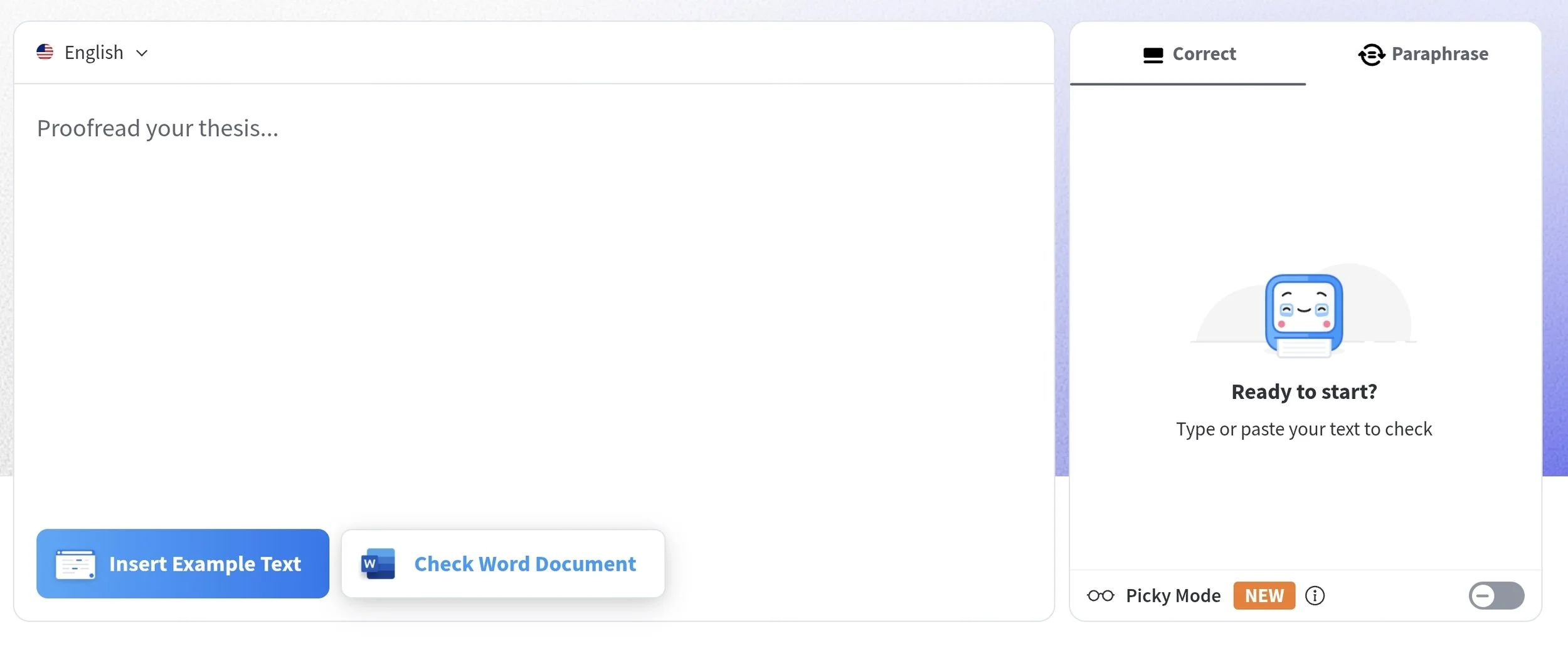
Best for: global teams who need to check grammar in multiple languages.
LanguageTool handles proofreading across more than 30 languages and dialects, making it a good pick for global teams writing in multiple tongues. Its underlying language models catch tricky word mix-ups and dialect nuances directly inside internal tools, web apps, or document pipelines via API.
You can also create custom dictionaries to keep technical jargon and specific terms clear across every supported language.
Features:
Multilingual checking: grammar, style, and spelling across more than 30 languages
Self-hosted deployment: run your own LanguageTool server so text never leaves internal infrastructure
REST API: plugs into internal tools, content systems, or document pipelines instead of living only in a browser
Custom dictionaries: add an organization's own accepted terms and exceptions
Pros:
Its self-hosting capability is ideal for legal and medical teams
A solid fit for organizations writing across multiple languages
The open source core keeps the price down for smaller teams
Cons:
The more advanced, AI-assisted features tend to sit behind the paid, hosted version
Languages with larger user bases and more developed rule sets get exceptionally thorough checks, while less common languages tend to receive somewhat lighter coverage at times
Pricing: free plan available, with Premium at $4.99 per month billed annually or $19.90 month-to-month, and Teams starting at $9.49 per month for two users.
6. Antidote
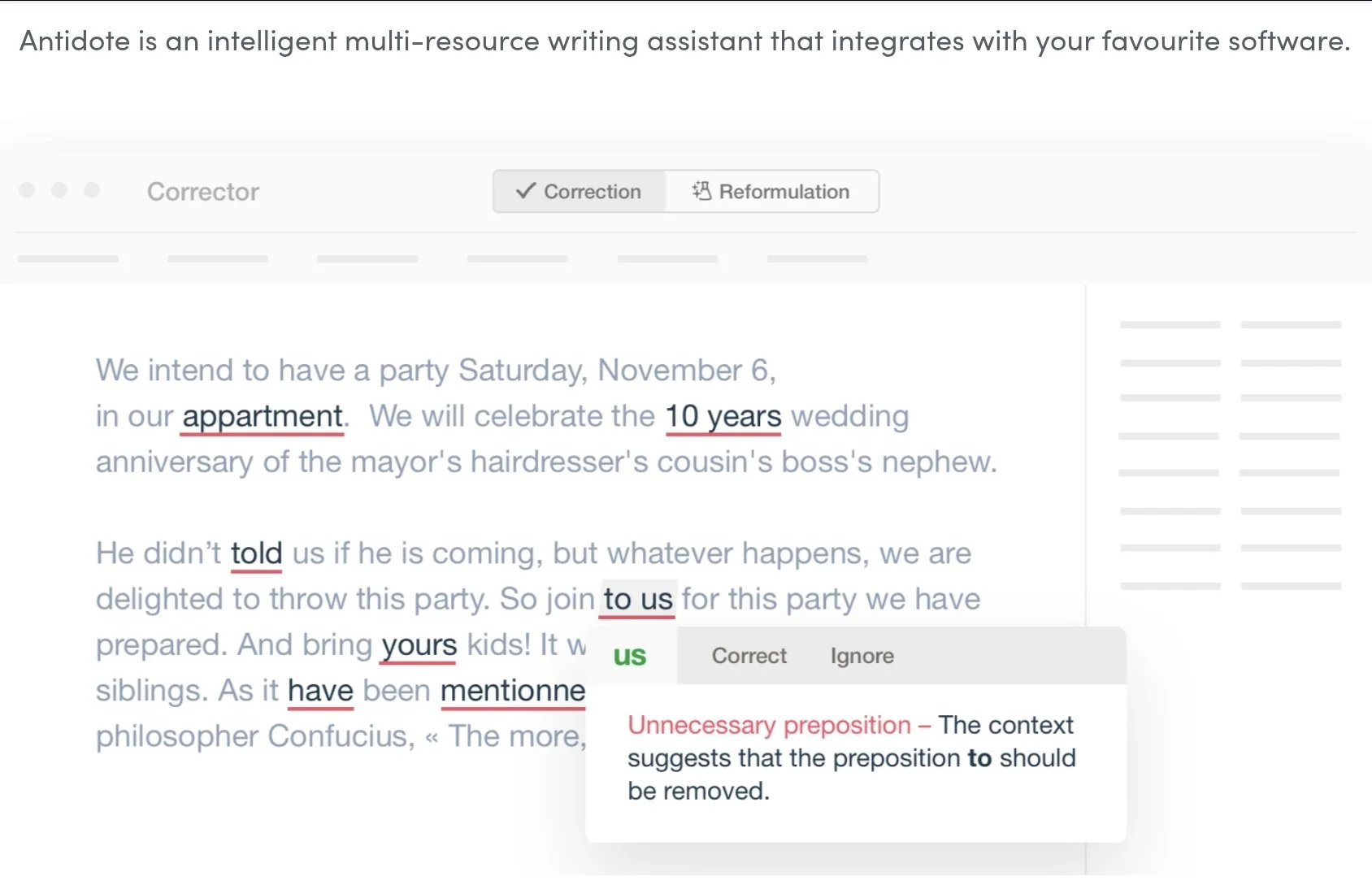
Best for: bilingual French and English professionals.
Antidote was built specifically to be a complete writing suite for French and English. Rather than stopping at basic spellchecks, it bundles a deep grammar engine with full dictionaries and conjugation tables.
Bilingual professionals can catch errors and look up language rules right away without jumping between different apps. Antidote also includes readability filters that flag long sentences and rare words that might trip up a reader. It connects into Word and other applications through a connecting utility.
Features:
Bilingual correction: grammar and spelling correction built for French and English at once
Integrated dictionaries: definitions, synonyms, antonyms, and conjugations across a large vocabulary base
Language guides: reference material on grammar, style, and usage, linked right from the flagged issue
Readability filters: flags long sentences, rare words, and other readability concerns
Word integration: works inside Word and other applications through a connecting utility
Pros:
Goes past correction into actual reference material on how the language works
A strong pick for bilingual French and English professionals
Dictionaries and grammar rules get updated on a regular schedule
Cons:
The value could drop off for English-only teams, since French is where the depth really shows
Setting it up inside some applications means installing an extra connecting utility
Pricing: Antidote+ Personal starts at $59.95 the first year ($48 on renewal) for one language, or $89.95 the first year ($72 on renewal) for English and French together.
7. Microsoft Editor
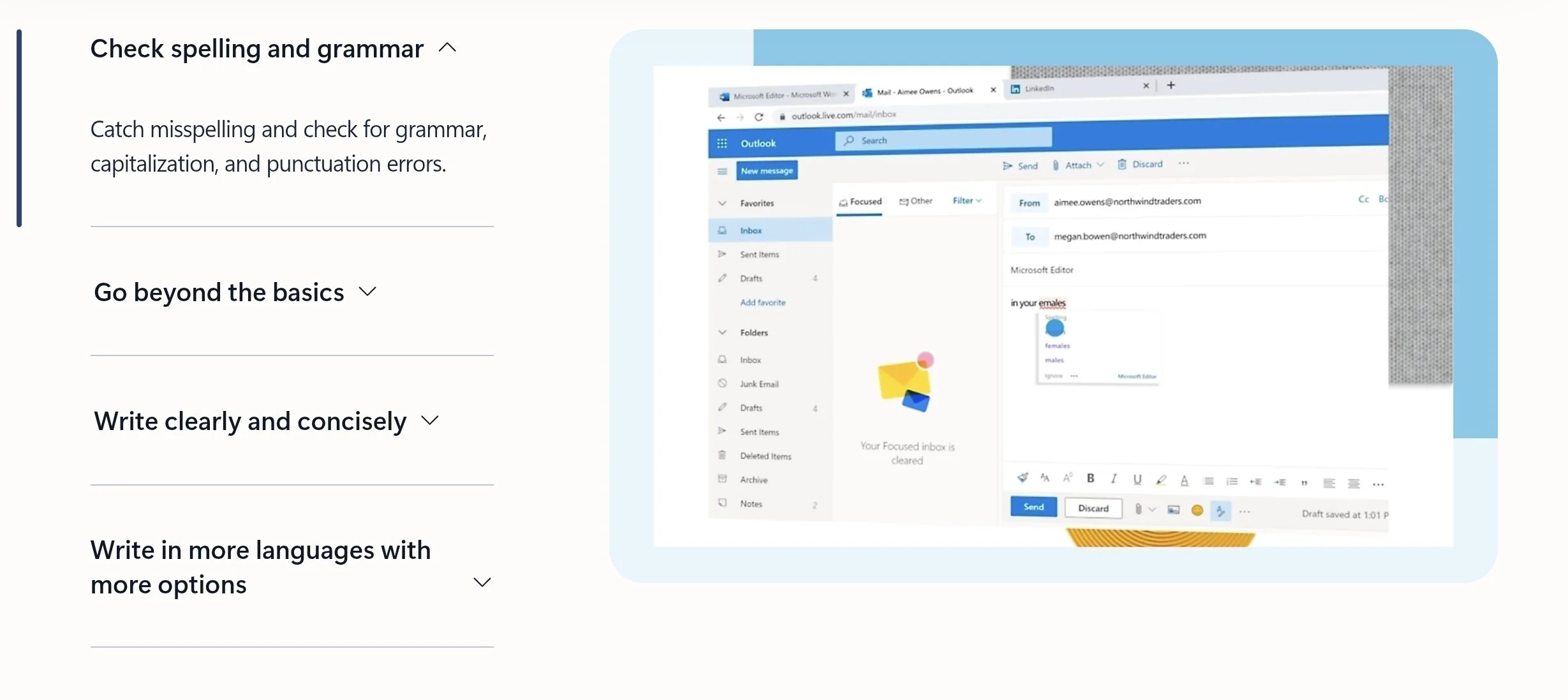
Best for: teams already on Microsoft 365 that want spelling and grammar without adding more tools.
This one comes bundled with Microsoft 365. Spelling and basic grammar are free for anyone signed in, and an active Microsoft 365 subscription unlocks clarity, conciseness, and formality suggestions across Word, Outlook, and the browser.
Features:
Real-time grammar and spelling: checks as you type in Word, Outlook, and the browser
Clarity and conciseness suggestions: flags passive voice, wordiness, and vague word choices with a Microsoft 365 subscription
Formality checks: flags slang, contractions, and overly casual phrasing
Multi-language support: grammar guidance in more than 20 languages, spelling in more than 80
Browser extension: works in Edge and Chrome across most websites, not just Microsoft apps
Pros:
Already paid for if a team has Microsoft 365, so there's no new purchase to approve
Covers Word, Outlook, and the browser without extra setup
Nothing new to learn for a team that already lives in Microsoft 365
Cons:
Has no way to check a long document against itself for inconsistencies
No mechanism at all for a shared house style across a team
Pricing: basic spelling and grammar checks are free, while clarity features require a Microsoft 365 Personal subscription starting at $9.99 per month.
Where AI Fits in a Copy Editing Workflow

AI is useful for drafting and revising. But a thorough professional check still needs more than AI.
The more a team relies on AI to produce content, the more terminology and wording tend to drift across a document. When five people are drafting sections with five different AI assistants, one might call it "e-commerce" and another "ecommerce," or introduce an acronym twice with two different meanings.
That makes a dedicated consistency and house style pass matter more now than it used to. General assistants like ChatGPT and Claude are strong at drafting, brainstorming, and reworking a paragraph, but they're not built to catch acronym inconsistencies or track terminology across a hundred-page document.
That's a different job entirely, one that AI copy editing tools generally aren't designed to solve on their own. PerfectIt works best alongside these tools, not instead of them. PerfectIt applies your rules the same way every time, so every document gets the same result on every check.
PerfectIt is not AI, so it’s ideal if you’re working with confidential documents. It’s easier to get corporate approvals with a tool like PerfectIt because it doesn’t send any data anywhere.
Frequently Asked Questions
What is the best copy editing software for professional editorial teams?
PerfectIt is the best copy editing software for checking professional consistency and house style. You use it to check whether your document agrees with itself and with your organization's own rules and preferences, rather than fixing grammar or rewriting sentences.
What is the difference between copy editing software and a consistency checker?
Copy editing happens at the sentence level: grammar, clarity, style. A consistency checker looks at the whole document instead, catching places where it contradicts itself or drifts from house style.
Does PerfectIt check grammar?
It doesn't, and that's by design. PerfectIt specializes in consistency and house style. It works great alongside a grammar checker if you also need to use one.
Can copy editing software enforce our house style?
With PerfectIt, yes. Build your house style into PerfectIt once, and every document that comes through afterward gets checked against it.
Is there copy editing software that doesn't use AI?
PerfectIt is a copy editing software that doesn’t use AI and doesn’t send your document to any model. It's rules-based, so it applies the same preferences on every check instead of generating or rewriting text the way an AI tool does.
Can software replace a copy editor?
No, and it's not built to. The mechanical, repetitive checking gets handed off to the software so your time goes toward the parts that need actual judgment, like meaning and communication.
Final Verdict
Copy editing covers several different tasks, and each tool on this list is good at a different part of it. If your focus is consistency and house style, and your documents need to stay offline, PerfectIt is best in class. It holds your organization’s own rules, checks the whole document against them, and leaves the final call on every flag to you.
PerfectIt doesn't check grammar or rewrite your text. If your team needs those things too, you can pair PerfectIt with one of the sentence-level tools on this list to fill the gap.
See how PerfectIt works for organizations around the world in PerfectIt's customer stories. Try it free for 14 days. It asks for nothing but an email address.
