
StyleGuard is the official style checker of the AP Stylebook, and PerfectIt is the only official proofreading software of The Chicago Manual of Style. This means StyleGuard is the obvious choice for a team that writes in AP style, and PerfectIt is the obvious choice for a team that follows The Chicago Manual of Style.
AP style and The Chicago Manual of Style are the two most followed style guides in the world, and copy editors often joke about a rivalry between them. A 2013 headline from The Onion, a satirical news site, reads “4 Copy Editors Killed In Ongoing AP Style, Chicago Manual Gang Violence.”
The choice is less obvious once you want to check your own house style on top of a published guide, or run a consistency check across the whole document. In those cases, one published guide alone can't decide which tool best fits your organization.
That is why we compared five StyleGuard alternatives, ranked on six criteria to help you choose the right one.
| Rank | Tool | Best for | Where your text is checked | Price |
|---|---|---|---|---|
| 1 | PerfectIt | The Chicago Manual of Style, Microsoft Writing Style or another published guide, with your house style on top, across long Word documents | Your computer (offline on Windows) | Annual per user, Professional to Enterprise, prices published online |
| 2 | StyleWriter | Plain English and readability checks in Word on Windows | Your computer (does not access the internet) | One-time payment, $90 to $190 |
| 3 | VisibleThread VT Writer | Readability scoring and Watchword lists of terms to avoid | VisibleThread's cloud, your own servers, a private cloud or an air-gapped network | Annual per user, by quote |
| 4 | Grammarly Enterprise | Shared style guides and brand tones across the apps your staff already use | Grammarly's cloud (Amazon Web Services) | By quote |
| 5 | Vale | Style packages based on the Microsoft, Google and Red Hat guides, for Markdown, AsciiDoc or DITA | Your computer, command line | Free, open source |
How the Alternatives Were Evaluated (and How to Choose)
Each tool was judged on six criteria. Confidentiality of documents took precedence over the other criteria because a tool is only usable if your IT team approves it. Sending documents to an outside network often prevents approval.
Style manual coverage was the next most important criterion, because that decides how many of a published guide’s rules each tool checks before you add any rules of your own.
Confidentiality
Confidentiality depends on where a tool checks your text. Some tools check your text on your own computer. Others send it to the vendor’s cloud servers, outside your network. Three tools check text on your computer: PerfectIt, StyleWriter and Vale. Grammarly Enterprise checks text on Grammarly’s cloud servers, while VisibleThread offers VT Writer in its own cloud or on servers inside your network.
Generative AI is a second factor. Grammarly Enterprise produces its writing suggestions with AI, and VT Writer's Creator Mode drafts content with it.
Style manual coverage
A tool can include a published guide’s rules in one of four ways.
Official partnership: the guide’s publisher names the tool as official. StyleGuard holds this status for the AP Stylebook and PerfectIt for The Chicago Manual of Style, and PerfectIt also has a formal partnership with Microsoft for the Microsoft Writing Style Guide.
Built-in guide: the tool’s maker builds the guide in, such as GPO and European Union styles in PerfectIt, or packages based on the Microsoft, Google and Red Hat guides in Vale.
Rules you enter: you add the guide’s rules yourself, as Watchword lists in VT Writer or style guides in Grammarly Enterprise.
AI emulation: you ask a general-purpose AI model to follow the guide, and it approximates the guide’s rules from what it knows. The results vary in quality, and this article leaves AI emulation out of its evaluation.
House style on top of the manual
A house style records the points specific to your organization, such as product names and preferred spellings. The best house styles rely on a published guide for everything not covered in the house style. A tool that considers both the house style and published guide it uses as a reference style can check your house style in one pass.
PerfectIt and Vale each combine a published guide with rules your team adds, while StyleWriter, VT Writer and Grammarly Enterprise check the rules you enter alongside the tool’s writing advice.
Whole-document consistency
A tool that applies a style guide compares the document with the guide’s rules, while a consistency check compares the document with itself. The consistency check finds a word hyphenated in one section and closed up in another, or an acronym defined twice. A document can follow every rule in its guide and still use two forms of a term the guide does not cover.
Fit inside Word
Checking inside Word saves your team an export and an import on every review. PerfectIt and Grammarly Enterprise check the document inside Word, StyleWriter works with Word on Windows, and VT Writer offers an optional Word add-in. Vale needs each Word document converted to a format it reads, such as Markdown.
Pricing
Vendors differ on whether they publish prices and whether you pay per guide, as with StyleGuard, or per user. PerfectIt and StyleWriter publish most of their prices, and Vale is free. VisibleThread and Grammarly Enterprise quote prices through their sales teams.
How to choose
The five StyleGuard alternatives focus on different tasks, and your choice depends on which task your organization prioritizes.
PerfectIt focuses on consistency and house style, whereas StyleWriter and VT Writer emphasize readability. Grammarly Enterprise provides AI writing suggestions in the apps your staff already use, and Vale is useful for checking style rules in documentation kept in code repositories.
1. PerfectIt
PerfectIt
Best for: checking long Word documents by The Chicago Manual of Style, Microsoft Writing Style, or another built-in style, together with your own house style.
PerfectIt is the best StyleGuard alternative for teams that follow The Chicago Manual of Style or need more than a published guide. It is the official proofreading software of The Chicago Manual of Style that checks your house style on top of that guide across the Word document.
PerfectIt’s focus is consistency and house style for writers and editors who check long documents. PerfectIt leaves grammar and rewriting to the writer, and there is no AI involved at any point.
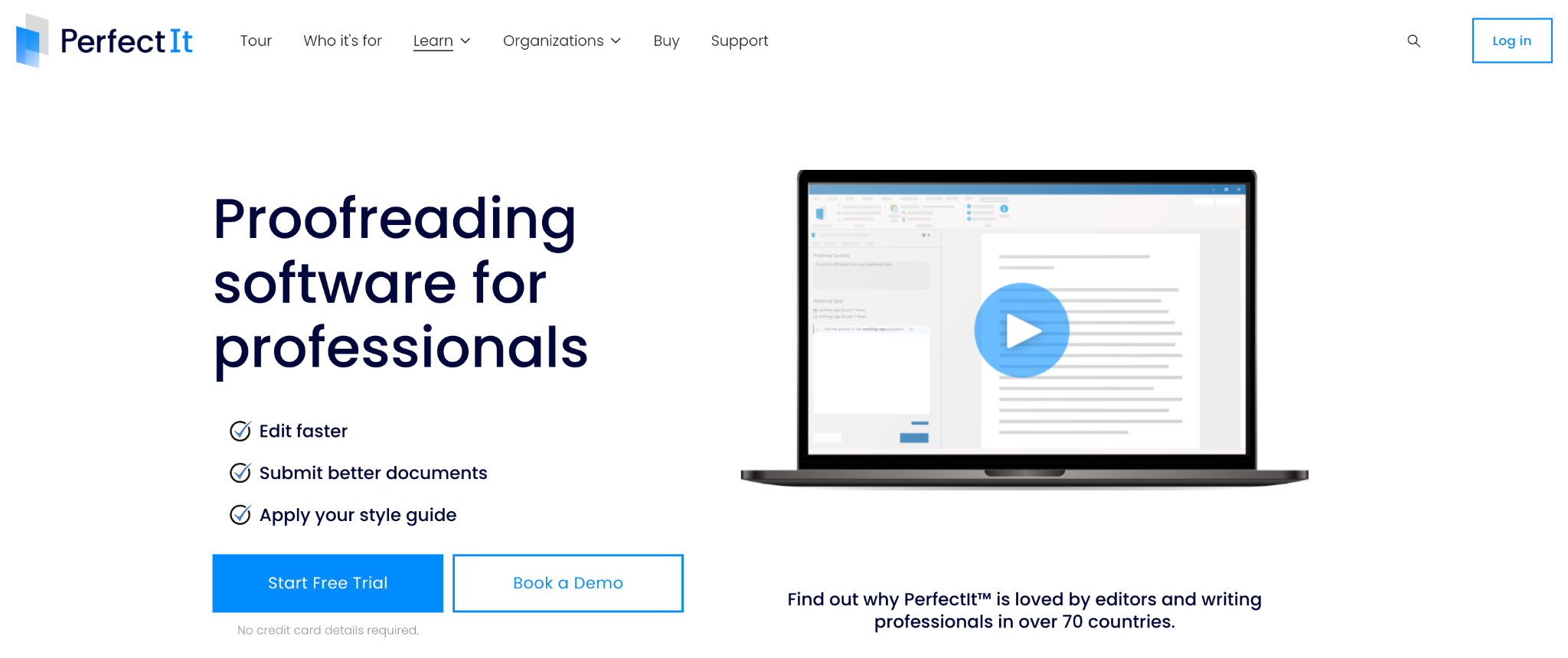
Intelligent Editing, the UK company behind PerfectIt, built it as an add-in for Microsoft Word to check the document you already have open. You launch PerfectIt from the Word ribbon, on Windows or Mac. PerfectIt then reads the entire document and gathers every issue into a single sidebar.
Each check that PerfectIt carries out looks for one kind of inconsistency or house style issue, such as a word hyphenated two ways or an acronym used before its definition. The sidebar shows one check at a time, such as Hyphenation Consistency or Capitalization of Phrases, and lists every place in the document where that check finds an issue.
Key features: style guides
PerfectIt’s built-in styles let you check your documents by the rules of well-known published style guides. Two of those styles come from official partnerships.
The Chicago Manual of Style: PerfectIt is the only official proofreading software of The Chicago Manual of Style, and it checks your text for the style rules on preferred spelling, italics, hyphens and capitalization. It also shows the recommendation from CMOS for each issue without leaving Word.
PerfectIt helps you learn the rules of CMOS because it finds examples in your own text that teach its principles. You need a separate CMOS Online subscription to use The Chicago Manual of Style for PerfectIt.Microsoft Writing Style: PerfectIt has a formal partnership with Microsoft for the Microsoft Writing Style Guide. The Microsoft style checks your text for the guide’s terminology and formats, such as people-first wording for disability or the format for dates. You can set PerfectIt to enforce the sentence case that Microsoft style applies to headings, as one of the five things to check in Microsoft style.
PerfectIt’s other built-in styles cover organizations such as GPO (US Government Publishing Office), the European Union, the United Nations, WHO and the Australian Government. It also includes US, UK, Canadian and Australian spelling.
Your house style, built on a style guide
Your house style is your organization’s own set of editorial rules. A good house style takes a published guide such as The Chicago Manual of Style as its base and defines the points that are specific to your organization, such as how to spell your own product names. Writers follow CMOS for every other rule, which means your house style doesn’t need to repeat those rules.
PerfectIt enforces the rules of CMOS and your house style together. Your team builds its house style preferences into PerfectIt once (using Styleworks). Then every team member can check every document for those preferences without having to remember anything. PerfectIt finds every place in the document where a product name is written differently from your house style.
Consistency checks
Consistency checking works as soon as you launch PerfectIt, with no settings to configure. Each check looks for one kind of inconsistency, including issues your house style doesn’t cover:
Capitalization: finds a term with initial capitals in one place and lowercase in another, such as “Steering Committee” and “steering committee.”
Hyphenation: finds a word or phrase hyphenated in one place and not in another, such as “e-mail” and “email.”
Bullet and list capitalization and punctuation: finds bullets and numbered lists that are capitalized or punctuated in different ways, while allowing an item that differs for a reason, such as one that starts with a name.
Spelling: finds a word spelled two ways, such as the US “color” and the UK “colour,” along with any word that differs from your preferred spelling.
Numbers in sentences: finds a number written as a word in one sentence and as a digit in another, such as “six” and “7.”
Table and figure titles and order: finds table and figure titles written in different formats, and titles that appear out of numerical order.
On Elite, Team and Enterprise plans, PerfectIt for PowerPoint checks your presentations on Windows, and house styles built for Word work in PowerPoint too.
Acronym definitions
PerfectIt checks that each acronym in your document is defined once (before its first use). Its acronym checks reach over 90% accuracy.
The following four checks cover the ways an acronym can break that rule:
Abbreviations Used Before Definition: Finds an acronym that appears in the text before the place where the document defines it.
Abbreviations Defined Twice: Finds an acronym that the document defines again after its first definition.
Abbreviations Defined Two Ways: Finds an acronym defined with two different meanings, such as “ITT” defined as “Invitation to Tender” in one place and “International Trade Team” in another.
Abbreviations Without Definitions: Finds an acronym that the document uses but never defines.
PerfectIt can also build a table of acronyms from the definitions in the document, with undefined acronyms listed beneath it.
Pros
PerfectIt runs inside Word and PowerPoint on your own computer and applies fixed rules, with no AI involved. These three strengths follow from that design.
Your house style and the published guide it builds on are checked in one pass, inside the Word document you already have open.
The Windows edition works entirely offline and never connects to the internet, even to check for updates or license validity. PerfectIt Mac Edition keeps your documents on your computer. It is easier to get corporate approval for a product like PerfectIt because it doesn’t send documents anywhere.
Because PerfectIt applies your rules the same way every time, everyone who checks one document with one style sees an identical list of issues.
Cons
PerfectIt works in Microsoft Word and PowerPoint. However, it has no add-in for Google Docs. A Google Doc has to be downloaded as a Word document, checked in Word and uploaded again, which adds those steps to every check.
Pricing
PerfectIt is an annual per-user subscription across four plans: Professional, Elite, Team and Enterprise. There’s published pricing for Professional, Elite and Team tiers. Custom quotes for Enterprise tiers are easy to get from the PerfectIt team.Discounts are available for individual members of APMP, AMWA, EMWA, CIEP, ACES, and other professional societies.
Checking The Chicago Manual of Style in PerfectIt requires a separate CMOS Online subscription, which costs $49 a year for one user. The price for groups falls to $39 per member each year at 21 to 50 members.
The 14-day free trial asks only for an email address, with no credit card required.
2. StyleWriter
StyleWriter
Best for: writers on Windows who want clear English and readability feedback inside Word, with no internet connection.
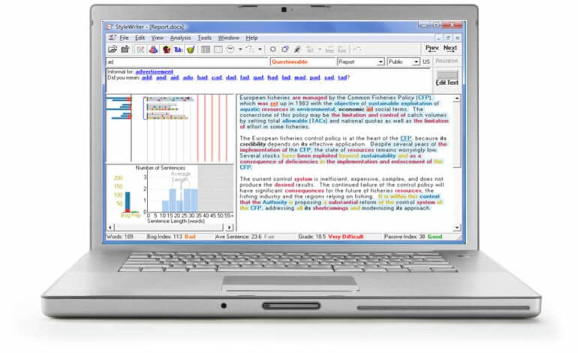
StyleWriter scores how easy your writing is to read with its own Bog Index, which grades each word through a 200,000-word dictionary and counts style problems such as passive verbs. The score also credits Pep, Editor Software’s term for features like personal pronouns that make writing more engaging.
StyleWriter also offers a premium Electronic House Style service that checks your organization’s house style rules, such as date formats and product names. Editor Software (UK) Ltd makes StyleWriter as a Windows program that works with Microsoft Word.
Key features
The following features help writers on Windows rate a document’s readability for its intended audience and check it by their house style.
Readability statistics: Every edition reports a Reading Grade and a Passive Index beside the Bog Index.
Audience and task: You pair one of three audiences (public, in-house or specialist) with one of 20 writing tasks, and StyleWriter adjusts its ratings to match.
House style: In the Standard and Professional editions, you add patterns for StyleWriter to check, such as your organization’s spelling of a product name.
Pros
StyleWriter’s strengths cover document privacy and cost, along with regional English versions in each copy.
StyleWriter 4 doesn't access the internet, so your documents stay on your computer.
You pay once for each edition, with no monthly subscription.
Each copy includes US, UK and Australian versions for country-specific usage advice.
Cons
StyleWriter has two limits, one for Mac users and one for documents with many acronyms.
StyleWriter 4 does not work on Mac. Mac users who run it through Parallels Desktop get no technical support from Editor Software.
StyleWriter marks acronyms as jargon, which leaves you to check each definition manually.
Pricing
Each StyleWriter license covers one computer:
$90 for Starter
$150 for Standard
$190 for Professional
Jargon categories and customization start with the Standard edition. An annual update costs $30 with another year of technical support, and Editor Software offers a 14-day free trial.
3. VisibleThread VT Writer

VisibleThread VT Writer
Best for: proposal teams at government contractors that want readability scoring inside their own network.
VT Writer is VisibleThread’s AI writing assistant for regulated industries. It gives every paragraph of a draft a readability grade level and marks long sentences and passive-voice density. The grade level tells a reviewer which paragraphs to simplify first.
Alongside VT Writer, VisibleThread sells a proposal platform that generates compliance matrices from a request for proposal.
Key features
The following features help proposal teams replace unapproved terms in a draft and produce new content from their own documents.
Watchword lists: You build lists of terms to avoid or replace, with bulk upload from a spreadsheet, and VT Writer highlights each listed term in your draft.
Word add-in: An optional Microsoft Word add-in brings VT Writer’s complexity checks into the document you are editing.
Creator Mode: A generative AI mode drafts content from your local or SharePoint documents.
Pros
VisibleThread’s deployment options and license terms give VT Writer these strengths.
You can deploy VT Writer on-premises, in a private cloud or in an air-gapped environment, which keeps your text inside your own network.
VisibleThread charges per user with unlimited content analysis, which means the price doesn’t rise with the number of documents you check.
The license fee includes technical support.
Cons
VT Writer raises a couple of concerns for teams that follow a published guide or need a fixed budget.
To check a document by The Chicago Manual of Style in VT Writer, you enter the guide’s terms into Watchword lists yourself. PerfectIt includes CMOS as a built-in style through a CMOS Online subscription.
A quote can add training and one-off set-up costs to the per-user subscription.
Pricing
VisibleThread sells an annual subscription for a set number of users, with Small team, Mid-Sized and Enterprise tiers priced to each organization’s needs.
VT Writer has a free 7-day trial.
4. Grammarly Enterprise
Grammarly Enterprise
Best for: large organizations that want shared style guides and brand tones in the apps their teams already use.
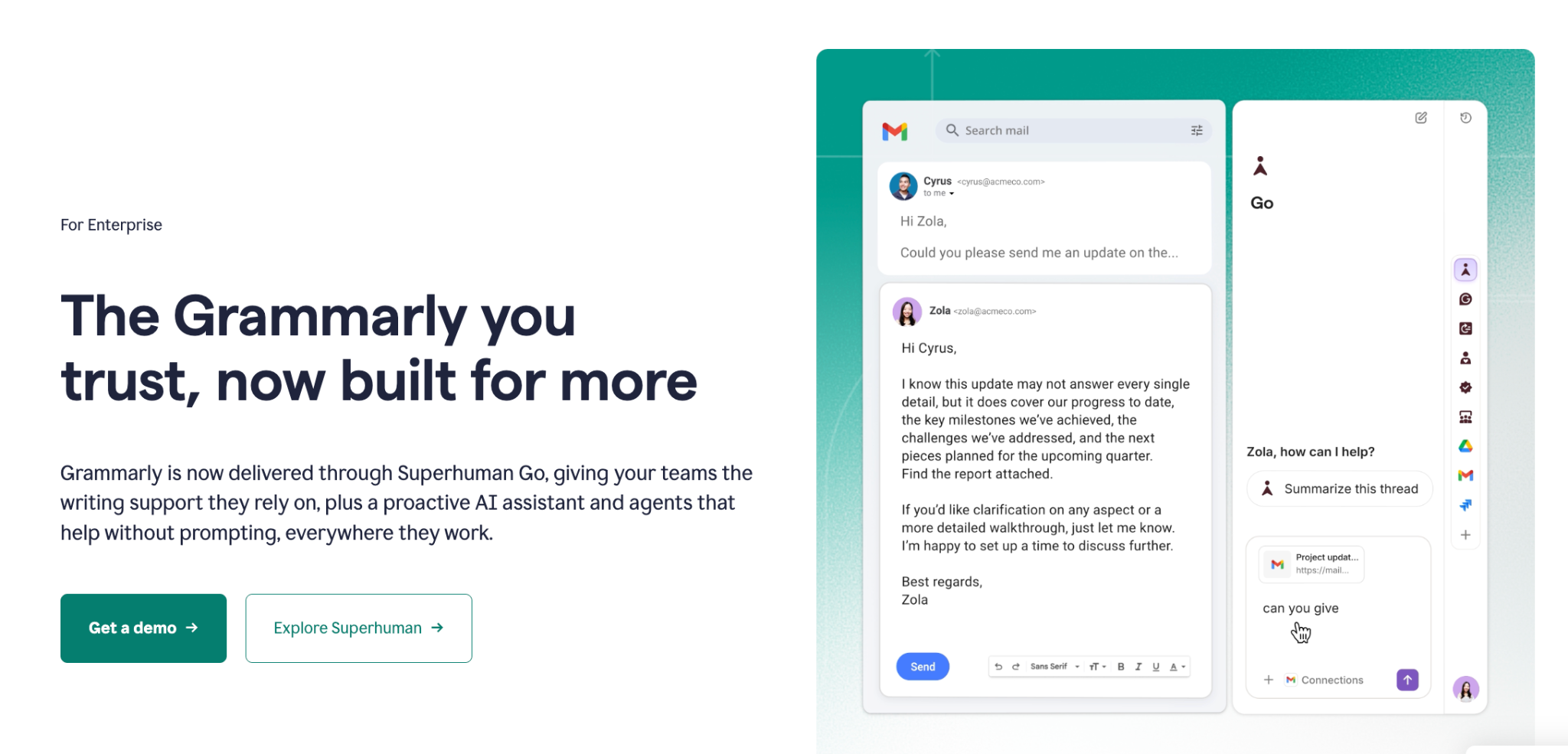
Through Superhuman Go, Grammarly Enterprise brings an AI writing assistant into email, documents, browsers and the other applications your teams use every day. Administrators add the organization’s style guide and brand tones, and Grammarly applies them to each writer’s suggestions.
Key features
The following features let your organization manage its writing standards in one place.
Style guides: Enterprise includes unlimited style guides, and your organization can add a term to any of them when your team adopts it.
Brand tones: You set a tone profile that names the tones writers should use and the tones to avoid.
Pros
These strengths serve organizations whose writers work across many apps.
Writers see the same style guide across different tools such as Microsoft Word, Google Docs, Gmail and Outlook.
Grammarly turns off data training by default for Enterprise customers, keeping your content out of its model training.
An analytics dashboard shows each team’s strengths and areas for improvement.
Cons
Grammarly Enterprise raises a couple of concerns, about where it checks your text and how your team budgets for it.
Grammarly processes every check on its own servers, which means each document leaves your network.
Grammarly publishes no Enterprise price, so your team can’t set a budget until its sales team quotes one.
Pricing
You need to contact the sales team to get Enterprise pricing.
5. Vale
Vale
Best for: technical writing teams that keep documentation in Markdown, AsciiDoc or DITA and want style rules checked like code.
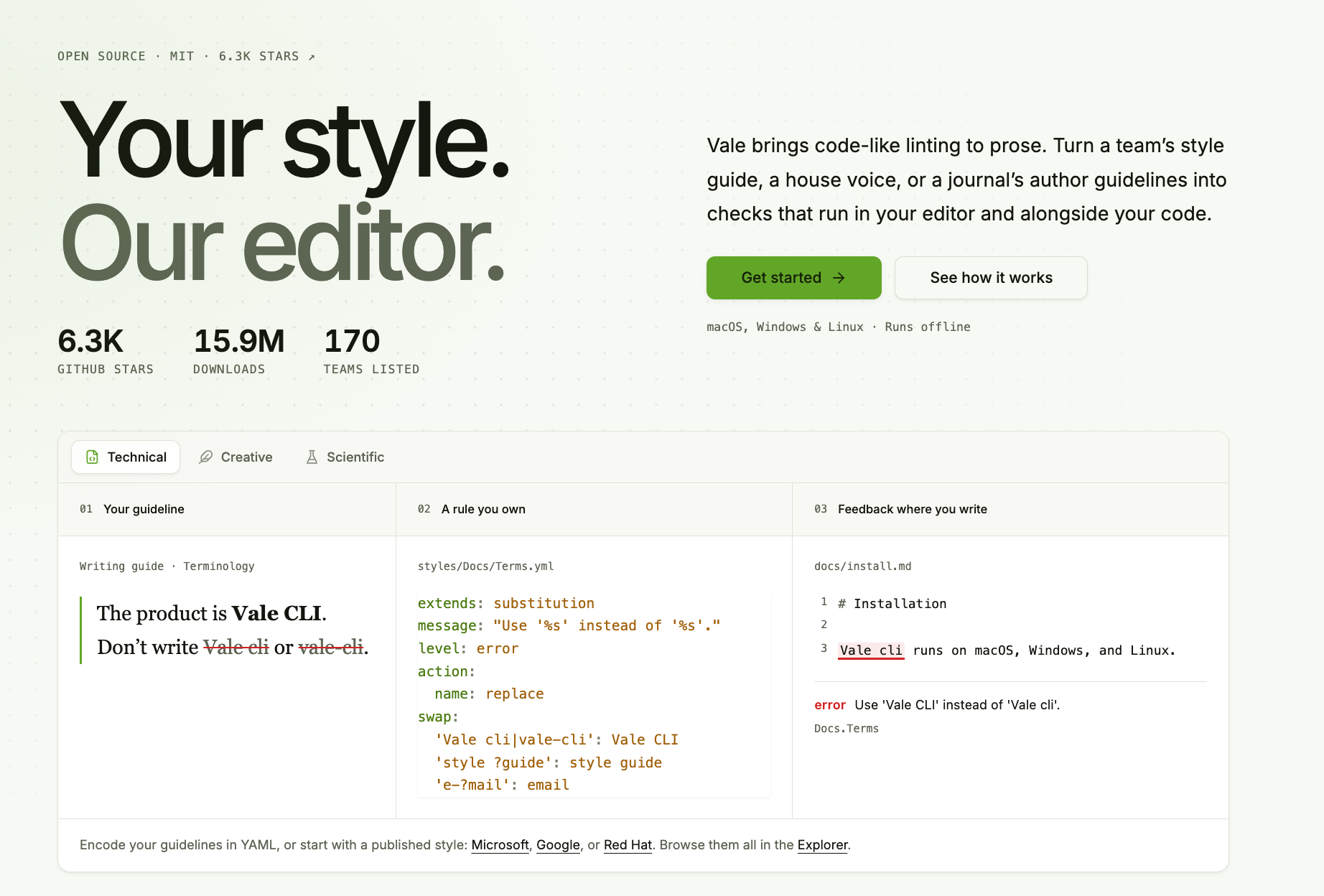
On the command line, Vale checks prose the way a linter checks code: it reads each file by the rules your team keeps in its repository and reports every line that breaks one. Your team can start from style packages based on the Microsoft, Google and Red Hat guides, then add its own rules on top.
Key features
The following features let technical writers define style rules and enforce them alongside their code.
Rules in YAML: Each rule is one YAML file that names the check it runs, such as substitution to suggest a preferred term or capitalization to enforce heading case.
Consistency rule: A consistency rule reports a document that uses two forms of one term, for each pair of forms you list.
Formats: Vale reads 18 formats, including Markdown, AsciiDoc, reStructuredText, HTML, XML and DITA.
Pros
A team that already keeps documentation in a Git repository gets the full benefit of these strengths.
The MIT license lets your team read and modify Vale’s code.
Vale checks your documentation offline on macOS, Windows and Linux, keeping it on your own machine.
Every rule carries its own message, so a writer reads why Vale reported a line and can open the rule file to change it.
Cons
For teams that write in Word, Vale adds a file conversion step and a command-line setup.
To check a Word document, you first convert it to a format Vale reads, such as plain text or Markdown. PerfectIt checks the Word document itself.
Your team writes each rule in YAML and runs Vale from a terminal or a build pipeline, which assumes command-line skills.
Pricing
Vale is free. Vale CMS, a hosted editor for Vale projects, has a free tier, a Pro plan at $19 a month and a Site plan at $1,000 a year for everyone at your domain.
StyleGuard Review: What It Does Well and Why Teams Switch
StyleGuard
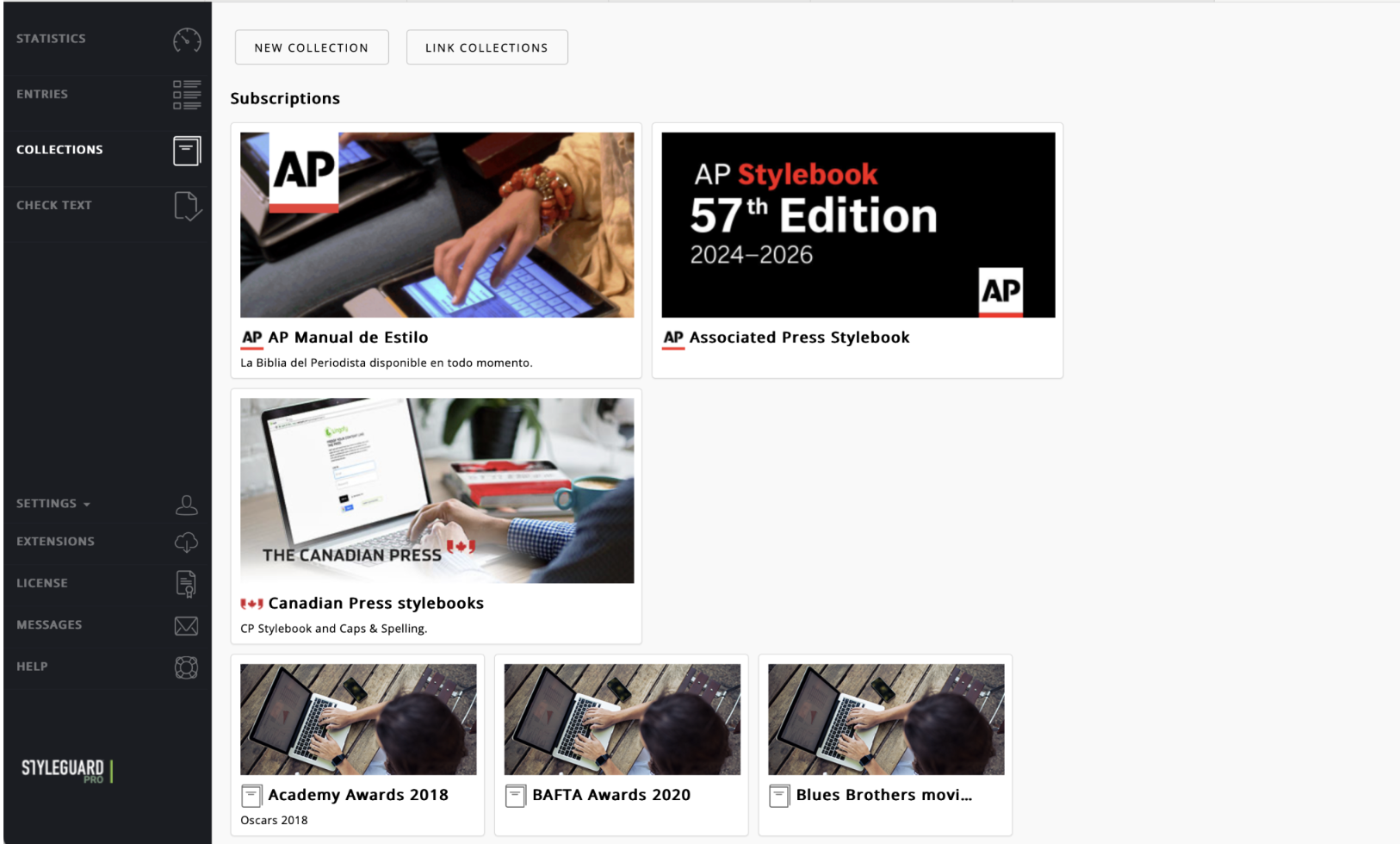
StyleGuard is the right tool for teams that follow AP style, because it is the AP Stylebook’s official style checker, which the Associated Press sells as AP StyleGuard. Teams choose PerfectIt instead when they follow a guide outside StyleGuard’s library, when they need their house style and consistency checked across the whole document, or when their IT policy keeps document text off outside servers.
What StyleGuard does well
StyleGuard checks your text as you type with Auto Scan, and its Full Scan button starts a proofing session on the document. It shows each suggested correction as a card in the right-hand panel. Clicking a card expands it to show the style rule behind the correction. Its checks cover capitalization and whether a term is one word, two words or hyphenated.
In StyleGuard Manager, you can set your own rules for style, spelling and names, and share them with up to 1,000 users.
Plug-ins for PowerPoint, Adobe InDesign and Google Docs extend StyleGuard beyond Word. Developers can add StyleGuard proofing to a content management system through its application programming interface.
Why teams switch
Teams replace StyleGuard with PerfectIt when one of these three requirements applies.
Your guide is The Chicago Manual of Style or Microsoft Writing Style
StyleGuard’s library covers the AP Stylebook, The Canadian Press Stylebook, the Financial Times Style Guide and the Plain Language Style Guide. A team that follows another guide has to enter that guide’s rules by hand in StyleGuard Manager.
PerfectIt already includes both guides: The Chicago Manual of Style as its official proofreading software, and Microsoft Writing Style through its formal partnership with Microsoft.
You need your house style and consistency across the whole document
StyleGuard checks your text by the stylebook you subscribe to and by the custom entries in StyleGuard Manager. PerfectIt checks your document by the published guide and your house style too, and it also compares each term with its other uses in the same document.
PerfectIt’s consistency checks find a term that the document writes two ways even when neither the guide nor your house style mentions it, such as “decision-making” in one section and “decision making” in another.
Your documents have to stay on your own systems
StyleGuard requires an internet connection for every product, from its Word add-in to its Google Docs add-on. PerfectIt for Windows checks documents without an internet or local network connection, keeping them on your computer. PerfectIt Mac Edition keeps your documents on your computer.
StyleGuard Pricing
StyleGuard sells each guide or dictionary as an annual subscription, and you buy the AP and Canadian Press editions directly from those publishers.
Financial Times Style Guide: $89.99 a year
Plain Language Style Guide: $89.99 a year
Plain Language for Adobe InDesign: $349 a year
AP StyleGuard Pro: $99.99 per user for the first year (general orders of one product for one to nine users)
A team that follows two guides would require a separate StyleGuard purchase for each guide.
Frequently Asked Questions
What is the best StyleGuard alternative?
PerfectIt is the best StyleGuard alternative if you follow The Chicago Manual of Style or need your house style and consistency checked across the whole document. For AP style alone, StyleGuard is the obvious choice, because it is the AP Stylebook’s official style checker.
Is StyleGuard good for AP style?
Yes. StyleGuard is the AP Stylebook’s official style checker, and it checks your text as you type with Auto Scan, or when you start a proofing session with its Full Scan button.
How much does StyleGuard cost?
StyleGuard sells the Financial Times and Plain Language guides as annual subscriptions at $89.99 a year each. AP StyleGuard Pro is sold by the Associated Press and costs $99.99 per user for the first year.
Can PerfectIt check The Chicago Manual of Style?
Yes. PerfectIt is the only official proofreading software of The Chicago Manual of Style, and checking the same needs a separate CMOS Online subscription.
Is PerfectIt safe for confidential documents?
Yes. PerfectIt for Windows works entirely offline and never connects to the internet, which keeps your documents on your computer. PerfectIt Mac Edition also keeps your documents on your computer. Because PerfectIt is not AI, your confidential documents never go to an outside model or server.
Can I build my own house style on top of a style guide in PerfectIt?
Yes. In PerfectIt you can base a new style on an existing style, or combine two styles into a new style that adds the preferences of both together.
Final Verdict
If AP style is the only guide you follow, StyleGuard remains the right tool. Among the other alternatives, StyleWriter suits writers who want plain English and readability feedback on Windows, and Vale suits teams that keep their documentation as code.
Once you need more than AP style, such as The Chicago Manual of Style or your own house style checked on top of a published guide, PerfectIt is the best StyleGuard alternative.
You can check your own documents during the 14-day free trial, or book a demo or consultation.
