
The best report editing software for an editorial or publications team is PerfectIt. One of the hardest parts of producing a report is keeping every page, from every contributor, consistent with the rest of the report and with your house style, and that’s what PerfectIt checks.
Annual reports, government and agency reports, technical reports, and research and policy reports are long, written by many people and revised many times, so terminology, capitalization, hyphenation and acronyms tend to drift.
PerfectIt checks consistency and house style inside Microsoft Word, applies your rules the same way every time, and it works entirely offline on Windows. It doesn’t check grammar or rewrite text.
This guide is for government publications teams, in-house editorial and publications teams, and other teams that produce these reports. It compares five tools on document security, consistency, house style, fit with Word and PowerPoint, team rollout and pricing.
You can also book a demo or consultation to see how PerfectIt checks consistency and house style in your reports.
A Quick Glance
| Tool | Best for | Where your documents are checked | Price | |
|---|---|---|---|---|
| 1 | PerfectIt | Consistency and house style across long reports in Word and PowerPoint, with built-in styles such as United Nations, European Union, Australian Government and GPO. | PerfectIt for Windows works entirely offline and PerfectIt Mac Edition keeps documents on your computer. | From $10 to $13 per user per month, billed annually (Professional to Team). Enterprise priced separately. |
| 2 | Grammarly Enterprise | Organization-wide grammar, tone and style guide help across almost any app. | Grammarly's cloud (AWS data centers in the US). | Not published; quoted through sales. |
| 3 | StyleWriter | Plain English and readability editing inside Word for individual writers. | Desktop software on Windows, works locally. | Starter $90, Standard $150, Professional $190. |
| 4 | editGPT | AI-assisted proofreading and rewriting, with tracked changes and custom prompts. | Through ChatGPT, or on editGPT servers for the web editor, wiped when you delete a project. | Free plan. Pro is $5 per month, Elite $12 and Business $60, billed annually. |
| 5 | ProWritingAid | Style and readability analyses for improving contributors' prose. | ProWritingAid's online service. | Teams $12 per user per month, billed annually. |
How These Tools Were Evaluated
Each tool was judged on six criteria, with document security first, because report teams handling unpublished findings, budgets or government material cannot use a tool their IT or security team won’t approve.
Confidentiality and security: whether checking happens on your computer or sends your document to a cloud service or an AI model.
Consistency: how reliably the tool catches terminology, capitalization, hyphenation and acronym inconsistencies across a whole long, multi-author report, from the first page to the last.
House style: whether the tool can hold your organization's own rules along with published styles.
Fit with your tools: compatibility with Word and PowerPoint.
Team rollout: ease of deployment and administration across a team.
Pricing transparency: clarity of the prices each vendor publishes.
This list sorts each tool by the task it does best, then describes each one in the same order: best for, features, pros, cons, and price.
What Report Editing Software Does (and What It Leaves to You)

Report editing software takes the repetitive mechanical checking away from your team so writers and editors can spend their time on meaning, structure and argument. No single tool covers every task in report production, and the five tools here each have a different focus.
Grammarly Enterprise, ProWritingAid and editGPT focus on general grammar, clarity and AI writing help. StyleWriter focuses on plain English readability, while PerfectIt focuses on consistency and house style across the whole document.
Several of these tools also have consistency or style guide features, so they overlap a little. Microsoft Word's built-in Editor already covers basic spelling and grammar, which is why it’s not ranked here.
How to Choose Report Editing Software for Your Team
Three factors are most important in determining the choice of report editing software for editorial and publications teams: where the tool sends your documents, whether it can hold your house style, and what its main focus is.
Where do your documents go when they are checked?
Some tools do the checking on your own computer, so the text never leaves it. Others send your text to the vendor's cloud servers or to an AI model, and the checking happens there. Report teams handling unpublished findings, budgets or government material need to know which one they’re dealing with before anything else.
PerfectIt for Windows works entirely offline and never connects to the internet while in use. It’s easier to get corporate approval for software like PerfectIt because it doesn’t send your data anywhere.
Can it hold your house style?
The tool should carry the style guide your organization already follows, with your own rules on top. A United Nations institution may follow the United Nations editorial style. A US agency may follow the GPO style manual or The Chicago Manual of Style. An Australian department may follow Australian Government style.
PerfectIt includes all of these as built-in styles, so you start from the guide your team follows. For more, see what makes a great corporate house style.
Is consistency and house style its main focus?
Inconsistencies in terminology, capitalization, hyphenation and acronyms can appear anywhere in a report, so choose a tool that focuses on holding the first page and the last page to the same terms and house style.
Several tools offer consistency or style guide features alongside general writing help. PerfectIt focuses solely on consistency and house style, so you can review each issue without distraction.
| What your team needs | Why PerfectIt is a strong choice |
|---|---|
| Documents that never leave your computer | PerfectIt for Windows works entirely offline |
| A house style applied to every report | Build your preferences once in Styleworks and export them to PerfectIt |
| Government and organizational styles | Built in |
| Acronyms defined correctly | The Acronym definitions check and a table of acronyms |
| Reports and slide decks held to the same standard | PerfectIt for PowerPoint is included in the Elite, Team and Enterprise tiers |
If those are the priorities for your team, PerfectIt is the strongest report editing software to consider.
1. PerfectIt
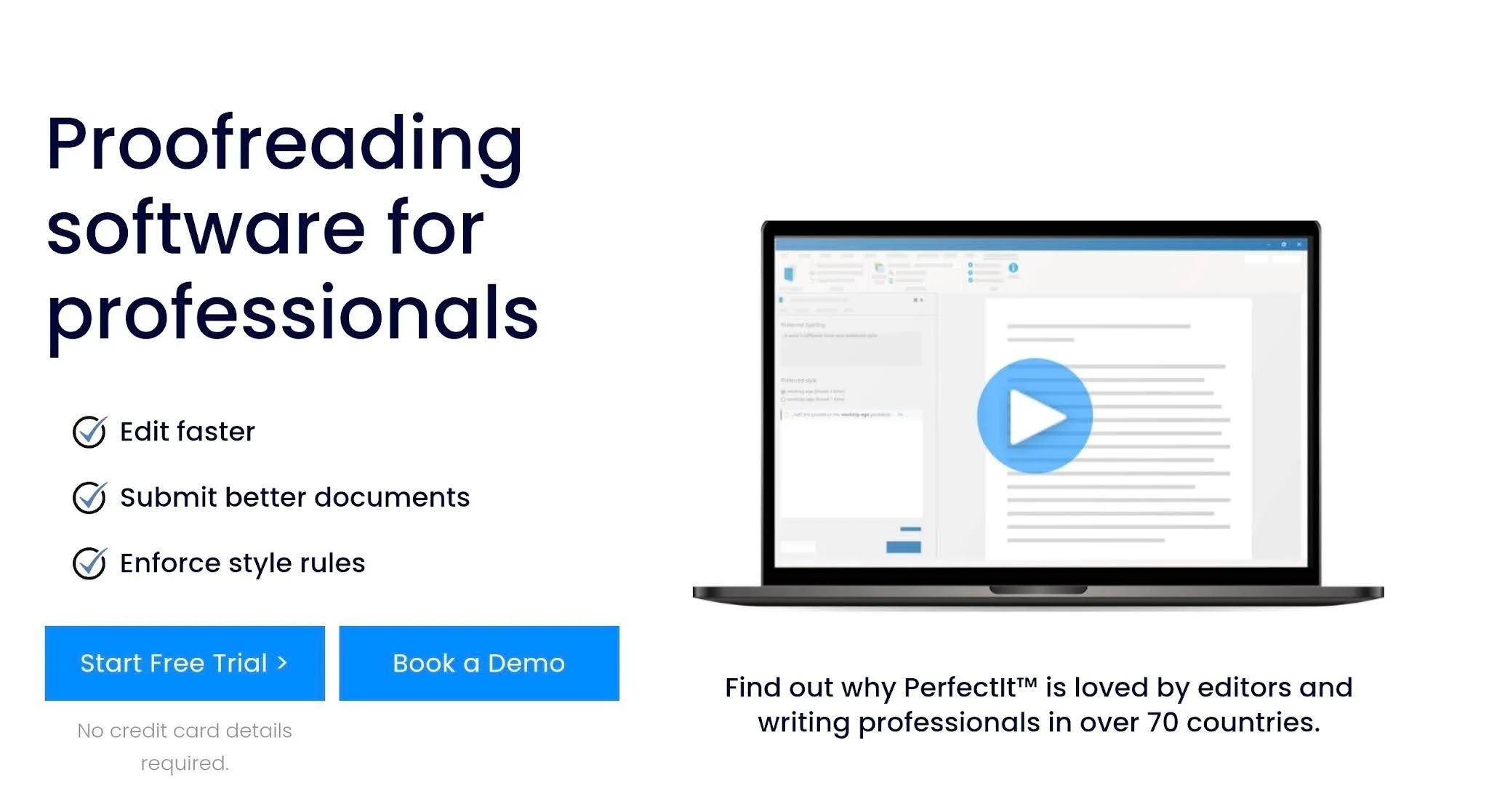
Best for: consistency and house style across long reports in Word and PowerPoint.
PerfectIt is the best report editing software for consistency and house style across long documents. It checks the whole report and helps you apply your rules the same way every time. It also keeps confidential documents on your computer.
PerfectIt checks consistency and house style. It doesn’t check grammar, write or rewrite text, and it isn’t an AI tool. PerfectIt never changes text on its own. It runs as a Microsoft Word add-in, so you check the report in the document you already have open.
You launch PerfectIt from the ribbon in Word, and it opens next to the document in its default style, Check Consistency. It checks the whole report and works through the issues in one sidebar. For each one, it flags the locations in context, and you decide what is correct.
Not every inconsistency PerfectIt finds needs to change. A quotation stays exactly as the author wrote it, and so should a term you vary on purpose. PerfectIt can’t tell a choice you made on purpose from a mistake, so it flags each location and leaves the decision to you. You can check every location before you decide.
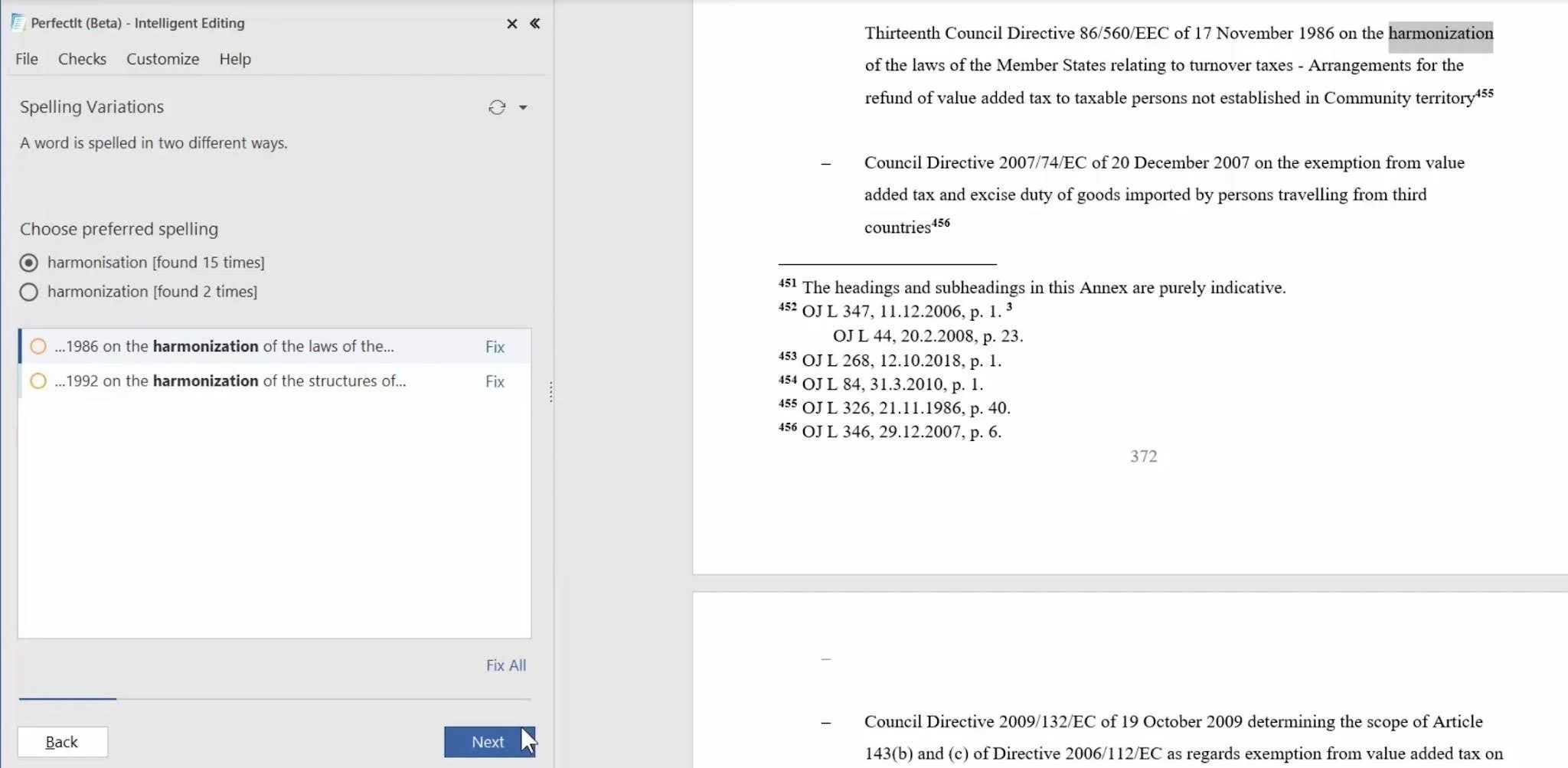
Key features
Acronym definitions: acronyms used before they are defined, defined twice, or never defined.
Capitalization: a term with initial capitals in one location and lowercase in another.
Hyphenation: words and phrases hyphenated in one location but not in another, such as "e-commerce" and "ecommerce".
Bullet and list capitalization and punctuation: lists that are capitalized or punctuated inconsistently.
Spelling: mixed US and UK spellings, such as "center" and "centre", and your preferred spellings.
Numbers in sentences: spelled-out numbers (e.g., "four") mixed with digits (e.g., "3") in the middle of sentences.
Tables and figures: titles that are inconsistent or out of numerical order.
PerfectIt for PowerPoint checks any presentation, including ones that stand alone from a report. It’s available on Elite, Team and Enterprise plans and works on Windows.
You can use PerfectIt at any stage of your workflow. Starting its checks on a first draft shows you where terms, spellings, and acronyms are inconsistent before editing begins. Launching it at the end gives you a last check before the report goes out. Some teams do both, since each revision round can introduce new inconsistencies.
Acronyms in long reports
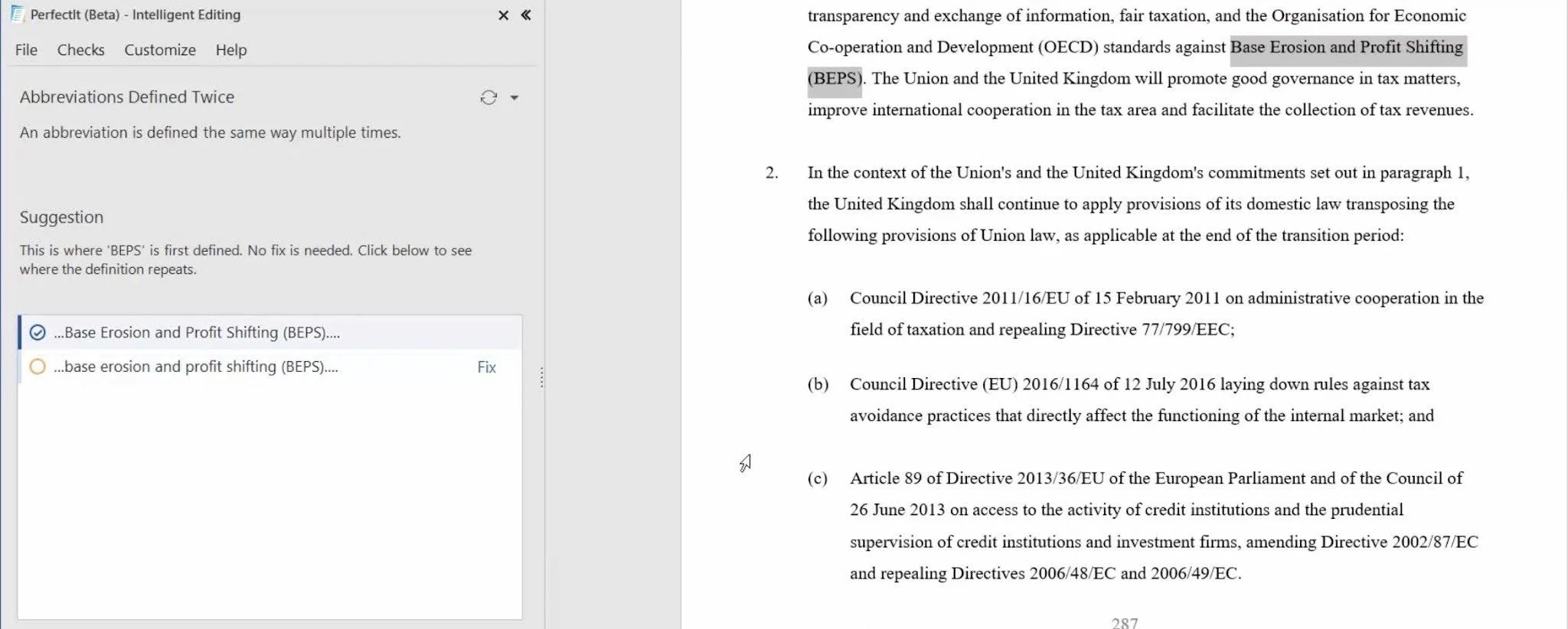
PerfectIt finds acronyms used before they are defined, acronyms defined twice and acronyms that have not been defined. It can also generate a table of acronyms. For a longer list of common offenders, see the most common undefined acronyms.
House style and government publications
PerfectIt helps you enforce your house style on every report. It includes built-in styles from government and international bodies: United Nations, European Union, Australian Government, GPO (US Government Publishing Office) and WHO. American Legal Style and Microsoft styles are built in as well.
PerfectIt is also the only official proofreading software of The Chicago Manual of Style (CMOS). Checking against CMOS needs a separate CMOS Online subscription.
A house style works best when it takes a published guide as its base and defines only the points where your organization does something different. You can build your preferences in Styleworks to reflect your house style.
You can export styles from Styleworks to PerfectIt, so PerfectIt can enforce it on every report. You only need to build it once, and your colleagues can then check every report against the same style.
Security and confidentiality
PerfectIt for Windows works entirely offline and never sends your document anywhere.
Because PerfectIt is not AI, your documents are never used for training and never go to an outside model or server. That is why PerfectIt ranks first for teams handling pre-release figures, draft policy or government material.
Who it is for
PerfectIt suits any team that has to make long, multi-author reports read as one document. It has more than 20,000 users in 72 countries.
Government publications teams: reports that must follow an agency style guide across many authors. You can build your agency’s own preferences on top of the styles built into PerfectIt, such as Australian Government Style, European Union Style, GPO and The Chicago Manual of Style.
In-house editorial and publications teams: annual, research and policy reports with many contributors and repeated revision rounds. Each round can introduce new inconsistencies, so you can launch PerfectIt again after every one.
Proposal and consulting teams: client reports and proposal-adjacent documents that need to read with one voice. PerfectIt checks acronym definitions, capitalization and spelling across every contributor before the document is submitted.
Pros
Checks the whole report for consistency and house style, with each check named and kept separate.
Applies your rules the same way every time, so you get the same result on every check.
Includes built-in organizational styles, and you can build your own preferences in Styleworks.
Works offline on Windows, so documents never leave your computer.
Works inside Word and PowerPoint.
Cons
It doesn’t check grammar or rewrite sentences, by design.
Pricing: PerfectIt is an annual, per-user subscription across Professional, Elite, Team and Enterprise tiers. PowerPoint checking starts at Elite. See the live store for current prices. Enterprise pricing is available with a quick email to the PerfectIt team.
The 14-day free trial gives you full access and asks only for an email address, with no purchase and no credit card required.
You can start the 14-day free trial now or book a demo or consultation to see how PerfectIt checks the consistency and house style of your documents.
2. Grammarly Enterprise
Best for: organization-wide grammar, tone and style guide help across almost any app.
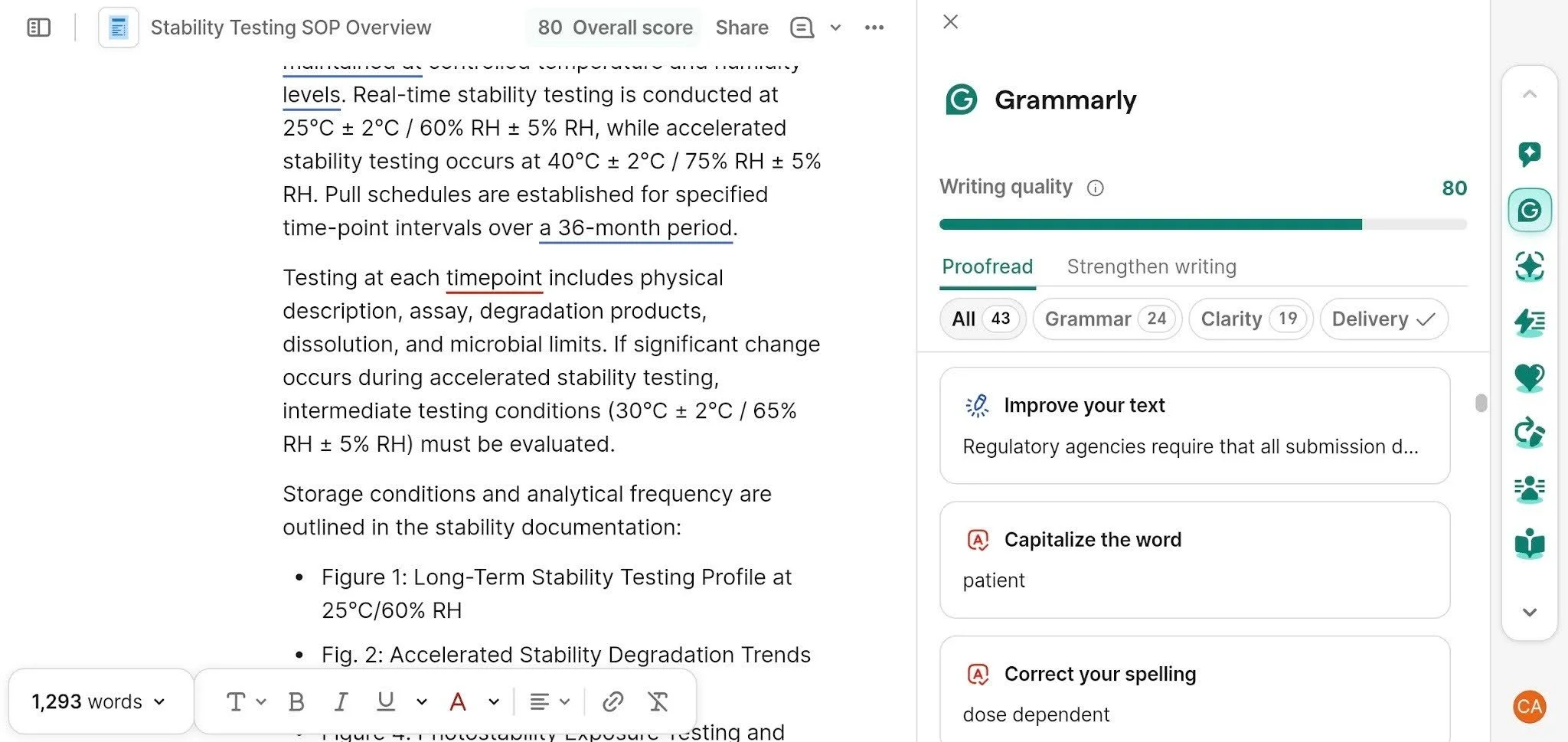
Grammarly Enterprise is built for organization-wide grammar, spelling, clarity, tone and style guide help across almost any app. It’s the writing assistant most of your contributors already know, rolled out with admin controls.
Grammarly is now part of Superhuman, a suite of AI tools that includes Go, Grammarly, Coda and Mail. Its current paid plans are Grammarly Pro and Grammarly Enterprise.
Both paid plans have a style guide and consistency checker alongside the other checks. What separates Grammarly Enterprise from PerfectIt is focus. Grammarly's focus is general writing help across apps. PerfectIt's focus is consistency and house style, with offline checking on Windows and no AI.
Key features
Writing suggestions: grammar, clarity and tone suggestions across most apps and browsers, including Microsoft Word and Google Docs.
Style guides and brand tones: Pro includes one of each, and Enterprise has unlimited style guides and brand tones.
Snippets and analytics: snippets for standard wording, and an analytics dashboard that covers teams and individuals on Enterprise.
Admin controls: Enterprise adds custom roles, managed mode, data loss prevention and SCIM user provisioning.
Security: SOC 2 Type 2, ISO/IEC 27001:2022 and SAML single sign-on.
Pros
Familiar to most contributors, so adoption is easy.
Works almost everywhere people write, including Word, Google Docs, browsers, desktop and mobile.
Enterprise security credentials, with SOC 2 Type 2 and ISO/IEC 27001:2022 among the certifications Grammarly lists.
Cons
Grammarly hosts data in AWS data centers in the US East region. Its help center says Grammarly is an online application that needs a stable internet connection to analyze text.
Generative AI agents are part of the product, and Enterprise includes unlimited AI prompts. Teams under a strict AI policy have to clear it before use.
Pricing: Enterprise pricing is not published and is quoted through Grammarly’s sales team.
3. StyleWriter
Best for: plain English and readability editing inside Word for individual writers.
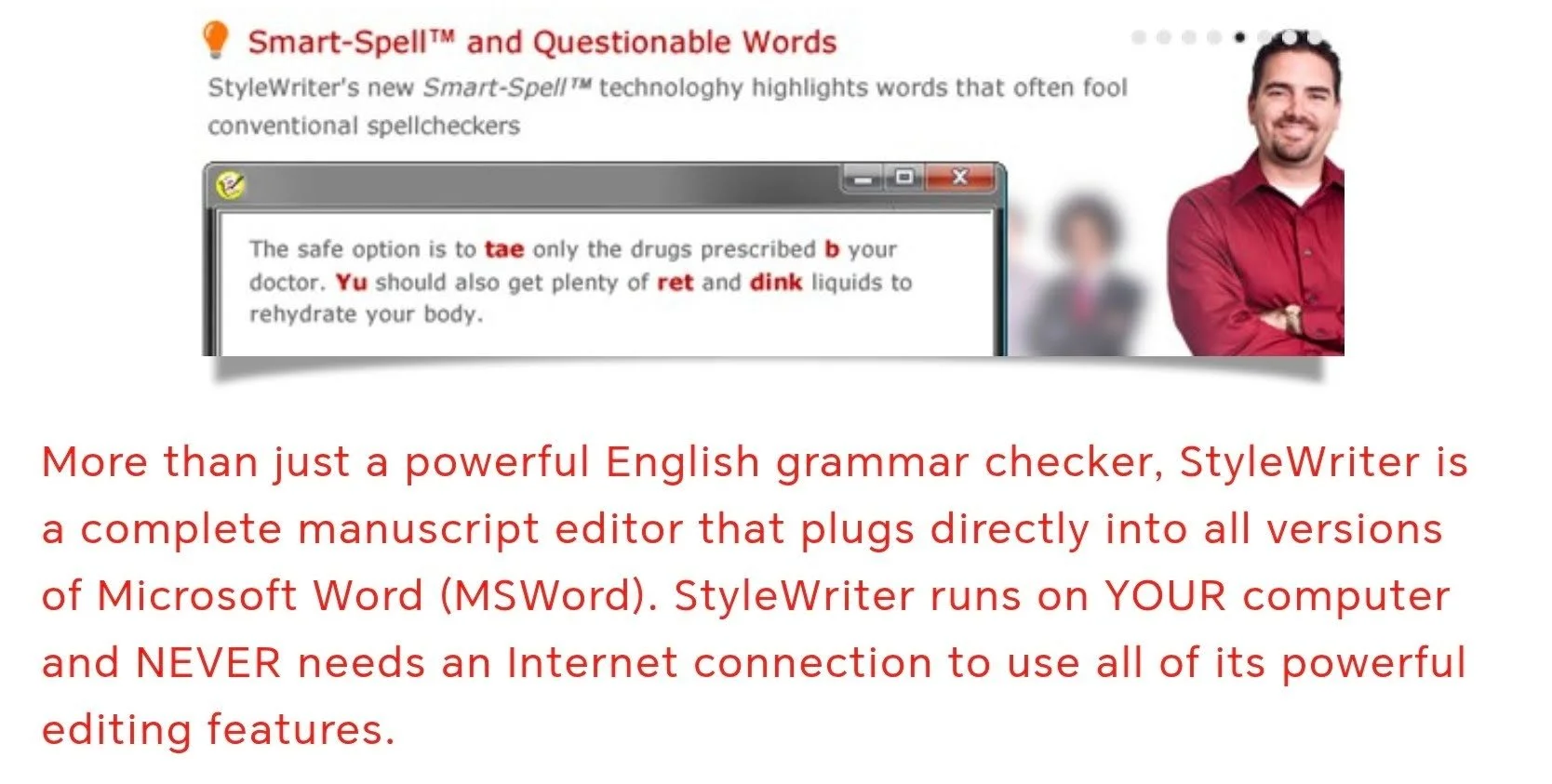
StyleWriter is built for plain English and readability editing inside Word. It highlights long sentences, passive verbs and hidden verbs, such as "make an assessment of" where "assess" would do, so a report reads clearly to people outside your agency.
It suits individual writers who want plain English help, but it's no longer actively developed, which makes it hard to approve in most enterprise and government IT environments.
StyleWriter is a Word add-in from Editor Software. It checks text against a graded word list and a large bank of style and usage patterns, then shows advice on how to edit each highlighted sentence. It installs on your computer, works with Windows and Word, and doesn’t need an internet connection.
For report production, it can help individual writers meet plain language expectations. It also has house style rules and spelling consistency checks of its own, but its main focus is how readable your writing is.
Key features
Readability statistics: a Bog Index, a Passive Index and average sentence length, plus sentence analysis and sentence variety graphs. The scores update as you edit.
Detection: jargon phrases, difficult words, passive verbs, hidden verbs and long sentences.
House style: a House Style category for your organization's rules, user-added advice and capitalization checks, and a corporate Electronic House Style service.
Pros
Clear focus on plain English and readable writing.
Works with Word on the desktop and checks locally, with no internet connection needed.
Edition prices are published on the vendor's site.
Cons
The current version, StyleWriter 4, had no announced update in more than a decade, and its support page still references Windows XP, Vista, and 7. Teams that need software under active development will find it hard to get approved.
Plain English and readability come first in StyleWriter, with house style rules and consistency checks added around them.
Features vary by edition, and the Editor's List comes only with Professional.
Pricing: Starter $90, Standard $150 and Professional $190. A 14-day free trial is available.
4. editGPT
Best for: AI-assisted proofreading and rewriting, with each change shown for you to accept or reject.
editGPT lets you bring AI suggestions into a report while keeping every correction visible for the reviewers who sign off on it. It’s an AI-based editing tool, which puts it in a different category from consistency and house style checking.
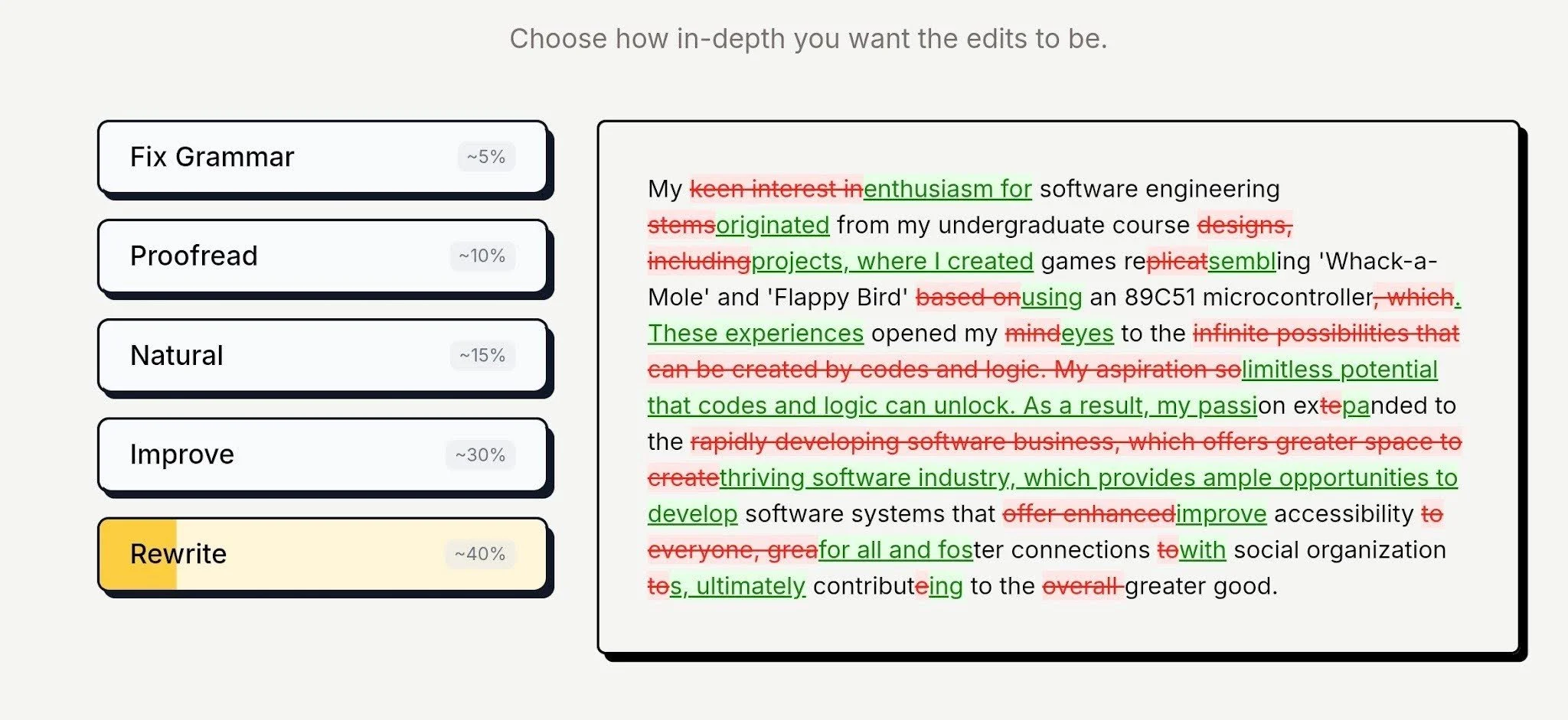
editGPT can edit text inside ChatGPT. It marks each change so you can accept or reject it, and it shows the corrections as tracked changes. editGPT also works as a web editor and browser extension, but not inside Word.
You can also import a Word document into the web editor, apply edits, and export back to Word with the tracked changes preserved.
Key features
Word import and export: tracked changes are preserved in both directions.
Web editor: where you import the document and apply the edits.
Browser extensions: versions for Chrome and Firefox that work on the ChatGPT website.
Pros
Every AI edit is visible as a tracked change.
A free plan is available.
Available in more than 80 languages.
Cons
Its focus is grammar, spelling, and tone rather than consistency and house style.
Its edits follow the prompt you give it, and they come from an AI model, so results can differ from one pass to the next.
It’s AI-based and you can edit through ChatGPT, so teams with a policy against sending unpublished reports to an outside AI model will rule it out.
Editing happens outside Word: you import the report into the web editor, then export it back to Word.
Pricing: editGPT offers a free plan with 20,000 words. Its Pro tier is $5 per month, Elite is $12 and Business is $60, all billed annually.
5. ProWritingAid
Best for: style and readability analyses for improving contributors' prose.
ProWritingAid is built around individual writers, with most of its features aimed at fiction authors. Planning, plot analysis, chapter critique, and a virtual beta reader sit alongside its grammar and style checks.
It also offers more than 25 analyses of a draft, which are called "writing reports," covering everything from sticky sentences to overused words.
Although it’s most useful for fiction writers, its Teams plan is also aimed at business writing. It adds a term base, style guide rules, centralized user management, and team analytics. In report production, it fits the drafting stage, while contributors are still writing chapters.
Key features
Writing analyses: style, readability and consistency analysis. The Consistency check covers spelling, capitalization and hyphenation, and there are separate Acronym and House Style analyses.
Teams term base and style guide rules: up to 1,000 of each.
Team controls: centralized user management and team analytics.
Integrations: Word, PowerPoint, Google Docs, Outlook and browsers.
Data use: ProWritingAid states that it never uses user data to train its AI.
Pros
Detailed analyses that help contributors improve their own writing.
Published per-user Teams pricing.
A wide range of integrations.
Cons
It suits fiction and longform authors best as it’s more of a creative writing tool than a report production tool.
Teams caps the term base and the style guide at 1,000 items each. Both are unlimited on Enterprise.
Checks run through ProWritingAid's online service, and its help center says there’s no offline use. On-premise hosting is listed only for Enterprise.
Pricing: Teams is $12 per user per month, billed annually, for 2 to 100 users. Enterprise is a custom package for large organizations.
Where AI Fits in Report Production
AI can help with drafting and summarizing, but you can't rely on it as the final consistency check on a long report. An AI model can draft a chapter or summarize a PDF in seconds. Keeping a long report consistent in terminology and house style is a separate task.
As teams produce more report content with AI, terminology and style get harder to keep consistent. Checking consistency and house style matters more as a result.
PerfectIt is the quality control step for AI-assisted work. It’s not AI. It applies your rules the same way every time, so you get the same result on every check. A general-purpose AI model approximates a style, which is a different promise.
To read more, see whether AI can replace human copy editors.
Final Verdict
For consistency and house style across long reports, with confidential documents kept offline, PerfectIt is the best report editing software for editorial and publications teams.
It suits government publications teams, in-house editorial and publications teams, and proposal and consulting teams that produce client reports.
Book a demo or consultation to see PerfectIt in action.
Frequently Asked Questions
What is the best report editing software for publications teams?
PerfectIt, for consistency and house style across long reports. It checks the whole document inside Word and helps you apply your rules the same way every time.
Is there report editing software that keeps documents confidential?
Yes. PerfectIt for Windows works entirely offline and never sends your confidential document anywhere.
Does PerfectIt support styles for government reports?
Yes. PerfectIt supports Australian Government Style, European Union Style, GPO (US Government Publishing Office), and The Chicago Manual of Style. You can then build your agency's own preferences on top of any of them.
Is PerfectIt an AI tool?
No. PerfectIt is not an AI tool. It applies your rules the same way every time, so you get the same result on every check. Because it’s not AI, your documents are never used for training and never go to an outside model.
